Understanding the AI-Generated Code Reality
Grasp what changed in software development with AI code generation, what remains constant, and why comprehension became more valuable than production speed.
SPACED REPETITION · 15 practice questions
Make this lesson stick.
Try 3 questions now. No account needed. Sample answers aren't saved.
or sign in to practice all 15Introduction: The Paradigm Shift in Software Development
Remember the first time you watched an experienced developer work? Their fingers flew across the keyboard, lines of code materializing as if by magic. You probably thought: "That's what I need to become." But what if I told you that vision of expertise is already becoming obsolete? The free flashcards in this lesson will help you remember the new skills that matter, but first, let's understand why everything you thought you knew about being a developer is transforming before our eyes.
You're sitting at your desk, staring at a blank file. In 2020, you'd start typing. In 2024, you're having a conversation with an AI, watching it generate hundreds of lines of code in seconds. This isn't science fiction—this is Tuesday. The question isn't whether AI code generation will affect your career; it's whether you'll be the developer who harnesses this transformation or the one left behind wondering what happened.
The Old Contract Is Broken
For decades, the implicit contract of software development was simple: you learned syntax, memorized APIs, mastered algorithms, and translated business requirements into working code, character by character. Your value was measured in lines of code written, problems solved, and bugs squashed. The better you were at typing precise instructions into a computer, the more valuable you became.
That contract is dissolving.
🤔 Did you know? According to GitHub's 2023 research, developers using AI assistants complete tasks 55% faster than those who don't. But here's the twist: the speed increase isn't the important part. The nature of the work itself has fundamentally changed.
Consider what happened to professional translators when machine translation matured. Initially, many feared obsolescence. Instead, their role evolved into something more nuanced: they became translation editors and cultural consultants. They stopped translating word-by-word and started ensuring machine translations captured intent, tone, and cultural context. The job didn't disappear—it transformed into something requiring deeper expertise, not less.
Software development is undergoing the same metamorphosis, but with a crucial difference: it's happening exponentially faster.
From Author to Orchestrator
Let me show you what this transformation looks like in practice. Here's how a developer might have approached building a REST API endpoint in 2020:
# 2020 Approach: Writing everything from scratch
from flask import Flask, jsonify, request
from datetime import datetime
import sqlite3

app = Flask(__name__)

@app.route('/api/users/<int:user_id>', methods=['GET'])
def get_user(user_id):
    # Manually write database connection
    conn = sqlite3.connect('users.db')
    cursor = conn.cursor()

    # Manually write SQL query
    cursor.execute('SELECT * FROM users WHERE id = ?', (user_id,))
    user = cursor.fetchone()

    # Manually handle response formatting
    if user:
        return jsonify({
            'id': user[0],
            'name': user[1],
            'email': user[2],
            'created_at': user[3]
        }), 200
    else:
        return jsonify({'error': 'User not found'}), 404
You'd spend time thinking about database connections, SQL syntax, error handling, and response formatting. Every line was a deliberate choice you made. Now, here's the same task in 2024:
# 2024 Approach: Orchestrating AI-generated code
# Prompt to AI: "Create a Flask endpoint to retrieve user by ID with proper
# error handling, connection pooling, and logging. Use SQLAlchemy ORM."

from flask import Flask, jsonify
from flask_sqlalchemy import SQLAlchemy
from sqlalchemy.exc import SQLAlchemyError
import logging

app = Flask(__name__)
app.config['SQLALCHEMY_DATABASE_URI'] = 'sqlite:///users.db'
app.config['SQLALCHEMY_TRACK_MODIFICATIONS'] = False
db = SQLAlchemy(app)

logger = logging.getLogger(__name__)

class User(db.Model):
    __tablename__ = 'users'
    id = db.Column(db.Integer, primary_key=True)
    name = db.Column(db.String(100), nullable=False)
    email = db.Column(db.String(120), unique=True, nullable=False)
    created_at = db.Column(db.DateTime, default=db.func.current_timestamp())

@app.route('/api/users/<int:user_id>', methods=['GET'])
def get_user(user_id):
    try:
        user = User.query.get(user_id)
        if not user:
            logger.warning(f'User {user_id} not found')
            return jsonify({'error': 'User not found'}), 404

        logger.info(f'Successfully retrieved user {user_id}')
        return jsonify({
            'id': user.id,
            'name': user.name,
            'email': user.email,
            'created_at': user.created_at.isoformat()
        }), 200

    except SQLAlchemyError as e:
        logger.error(f'Database error: {str(e)}')
        return jsonify({'error': 'Internal server error'}), 500
The AI generated this in seconds. But here's the critical insight: generating the code isn't the skill anymore. The skill is knowing that this code:
- Uses connection pooling (implicit in SQLAlchemy)
- Properly handles database exceptions
- Includes appropriate logging
- Returns correct HTTP status codes
- Uses ORM instead of raw SQL for better security
💡 Pro Tip: Your job isn't to write this code—it's to know whether it should exist at all, whether it follows your architecture, whether it introduces security vulnerabilities, and whether it will scale.
The transition from author to orchestrator means you're no longer primarily a code writer. You're a code curator, architectural guardian, and quality assurance expert rolled into one.
Why Your Foundational Skills Matter More Than Ever
Here's the paradox that confuses many developers: AI can generate code faster than you can type, yet your deep understanding of software development principles has never been more valuable. It's like saying that calculators made mental math more important, not less—which is exactly what happened for engineers and scientists.
Let me illustrate with a real scenario. An AI generates this JavaScript function:
// AI-generated function for processing user payments
async function processPayment(userId, amount) {
    // Fetch user details
    const user = await database.users.findOne({ id: userId });

    // Check if user has enough balance
    if (user.balance >= amount) {
        // Deduct amount
        user.balance -= amount;
        await user.save();

        // Process payment
        const payment = await paymentGateway.charge(user.paymentMethod, amount);

        // Record transaction
        await database.transactions.create({
            userId: userId,
            amount: amount,
            timestamp: Date.now(),
            status: 'completed'
        });

        return { success: true, transactionId: payment.id };
    } else {
        return { success: false, error: 'Insufficient funds' };
    }
}
This code looks reasonable. It might even pass some tests. But a developer with foundational knowledge immediately sees the race condition: between checking the balance and deducting it, another transaction could occur. The AI has created a critical bug that could result in negative balances and financial losses.
🎯 Key Principle: AI generates syntactically correct code based on patterns. It doesn't understand the business context, the hidden requirements, or the edge cases that emerge from your specific architecture and constraints.
❌ Wrong thinking: "AI can write code, so I don't need to understand how systems work."
✅ Correct thinking: "AI can generate code patterns, so I need to deeply understand system behavior, concurrency, security, and architecture to validate and improve what it produces."
Your expertise in the following areas becomes your survival toolkit:
🔧 Architecture & Design Patterns: AI can implement a singleton, but you need to know if a singleton is the right choice
🔒 Security: AI might write SQL queries, but you must catch injection vulnerabilities
⚡ Performance: AI generates working code, but you determine if it will scale to a million users
🧠 Business Logic: AI follows your prompt, but you ensure the solution actually solves the business problem
🎯 Testing Strategy: AI can write unit tests, but you design the testing pyramid
The Integration Reality: AI in Your Daily Workflow
Understanding the paradigm shift isn't just philosophical—it's practical. Let's map out how AI code generation tools actually integrate into modern development workflows.
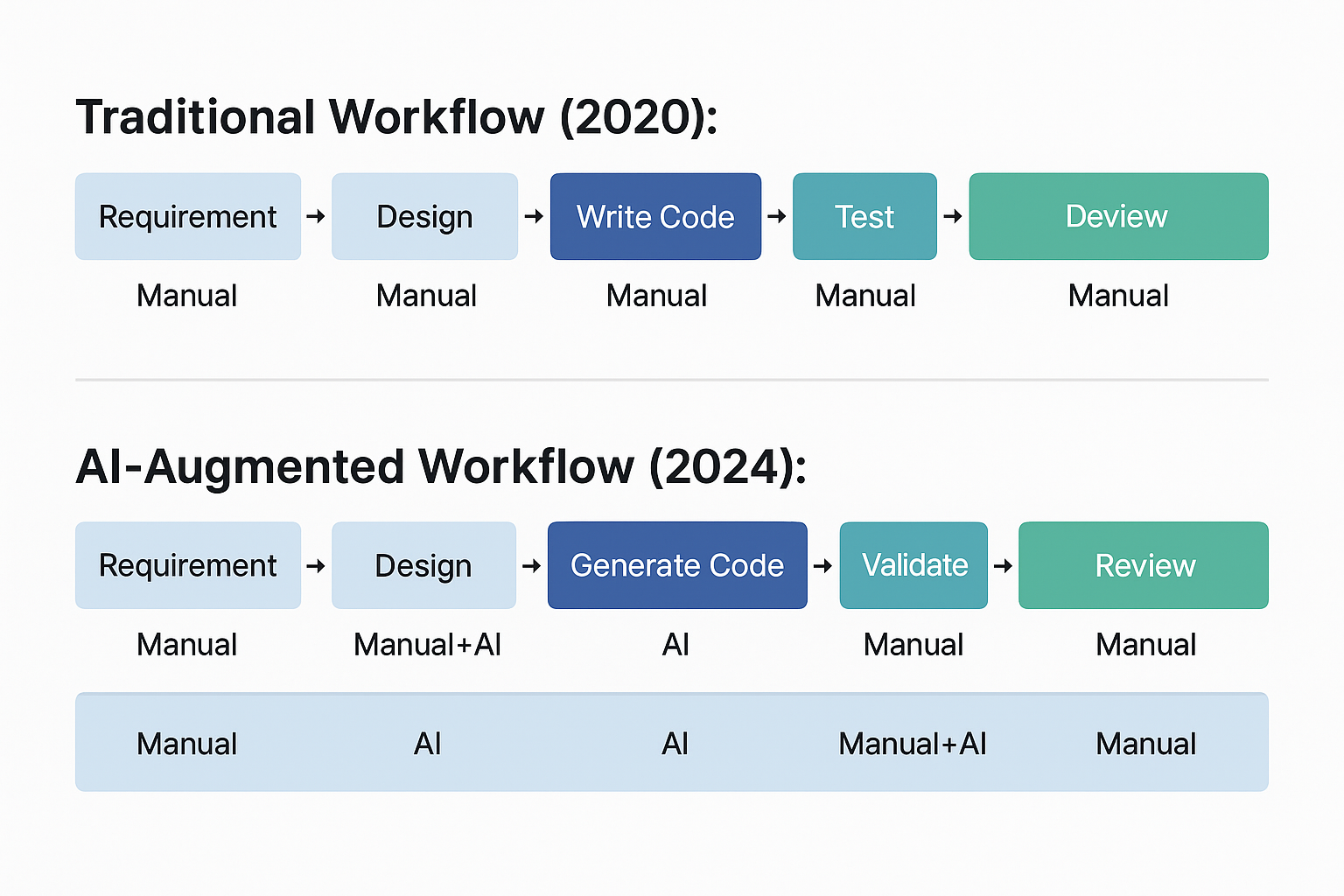
View original ASCII
Traditional Workflow (2020):
Requirement → Design → Write Code → Test → Review → Deploy
     ↓            ↓          ↓          ↓       ↓        ↓
   Manual      Manual    Manual    Manual  Manual   Manual
AI-Augmented Workflow (2024):
Requirement → Design → Generate Code → Validate → Refine → Test → Review → Deploy
↓            ↓           ↓            ↓         ↓        ↓       ↓        ↓
Manual    Manual+AI      AI         Manual    Manual+AI  AI+Manual Manual  Manual
Notice that AI hasn't eliminated steps—it's added new ones. The validation and refinement phases are entirely new responsibilities. You're not doing less work; you're doing different work that requires different skills.
💡 Real-World Example: At a mid-size tech company I consulted for, developers using GitHub Copilot reported writing 40% less code manually. However, their code review time increased by 25% because they needed to scrutinize AI-generated code more carefully than their own. The net result? 30% productivity gain, but only because developers developed strong code validation skills.
The Competencies That Define Modern Developers
The paradigm shift demands a new set of competencies that go beyond traditional coding skills. Think of these as the layers of expertise you need to cultivate:
Layer 1: AI Interaction Skills
- Prompt engineering: Crafting precise instructions that generate useful code
- Context management: Providing AI with relevant background information
- Iteration patterns: Knowing when to refine prompts vs. manually edit output
Layer 2: Validation & Quality Assurance
- Code review expertise: Quickly identifying bugs, security issues, and anti-patterns
- Test-driven validation: Writing tests that verify AI-generated code behavior
- Performance analysis: Recognizing efficiency problems before they reach production
Layer 3: Architectural Thinking
- System design: Ensuring AI-generated components fit the broader architecture
- Integration patterns: Knowing how to connect AI-generated modules with existing code
- Technical debt assessment: Recognizing when AI generates "quick fixes" that create long-term problems
Layer 4: Domain Expertise
- Business logic: Understanding requirements deeply enough to validate correctness
- User experience: Ensuring AI-generated frontend code meets usability standards
- Industry standards: Knowing compliance requirements AI might not consider
📋 Quick Reference Card: Traditional vs. AI-Era Developer Skills
| 🎯 Skill Area | 📅 Traditional Era | 🤖 AI Era |
|---|---|---|
| 💻 Primary Activity | Writing code | Validating & orchestrating code |
| 📚 Learning Focus | Syntax & APIs | Patterns & principles |
| ⚡ Speed Metric | Lines per hour | Problems solved per hour |
| 🔍 Quality Gate | Does it compile? | Is it correct, secure, maintainable? |
| 🧠 Core Skill | Implementation | Evaluation |
| 🎓 Expertise Marker | Code output | Architectural decisions |
⚠️ Common Mistake 1: Treating AI as a junior developer you can trust with simple tasks ⚠️
Many developers fall into this trap. They think: "I'll have AI handle the boilerplate while I focus on complex logic." The problem? AI makes mistakes randomly. It might nail a complex algorithm but introduce a subtle bug in "simple" CRUD operations. You can't assume any generated code is safe without validation.
⚠️ Common Mistake 2: Not investing in understanding AI capabilities and limitations ⚠️
Some developers use AI tools without understanding how they work—what they're good at, what they struggle with, when they're likely to hallucinate or generate insecure code. This is like using a power tool without reading the manual. You'll eventually hurt yourself.
The Psychological Shift: From Maker to Manager
There's an emotional dimension to this transformation that's rarely discussed but critically important. Many of us became developers because we love building things with our hands (metaphorically). There's deep satisfaction in crafting an elegant solution, line by line.
AI code generation can feel like that satisfaction is being stolen from you. It's like being a chef who suddenly must work with pre-prepared ingredients. The craft changes.
💡 Mental Model: Think of yourself as evolving from a craftsman to a master craftsman. A craftsman makes furniture with hand tools. A master craftsman designs furniture, selects materials, orchestrates a workshop, and ensures every piece meets exacting standards—whether made by hand, machine, or apprentice. The master's expertise is deeper, not shallower.
This shift requires accepting that:
🧠 Your value isn't in typing speed, it's in decision quality
🎯 Your expertise isn't demonstrated by code volume, it's proven by system reliability
🔧 Your craft isn't writing loops, it's architecting solutions that scale and endure
🤔 Did you know? Psychological research on automation shows that professionals who embrace tool-augmented work report higher job satisfaction than those who resist it—but only after a transition period where they develop fluency with the new tools and redefine their professional identity.
Why This Matters Right Now
You might be thinking: "Isn't this all a bit premature? AI tools are still imperfect." That's precisely why understanding this paradigm shift is urgent. The developers who will thrive aren't waiting for AI to become perfect—they're building the skills to work with imperfect AI tools right now.
Consider the trajectory:
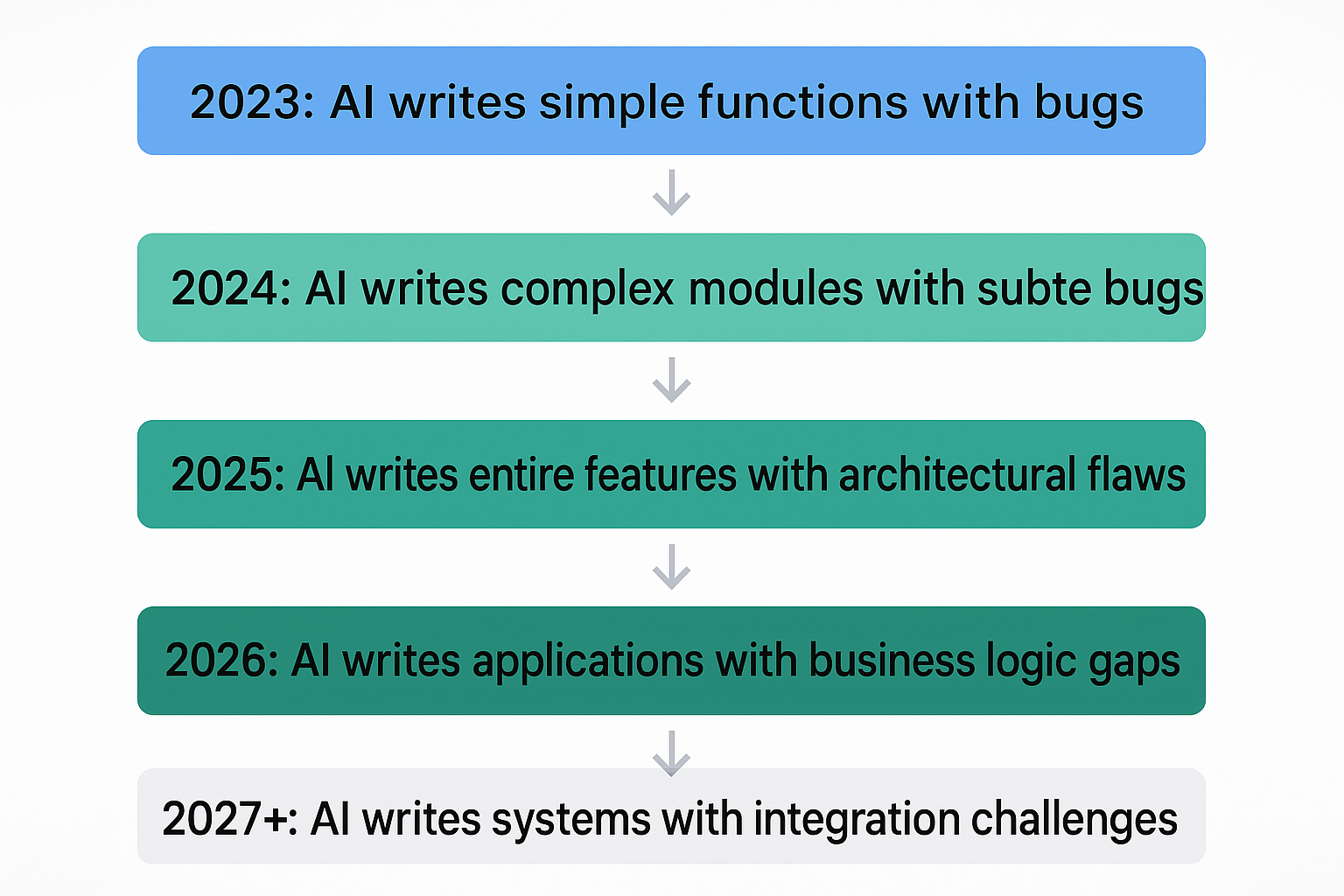
View original ASCII
2023: AI writes simple functions with bugs
       ↓
2024: AI writes complex modules with subtle bugs
       ↓
2025: AI writes entire features with architectural flaws
       ↓
2026: AI writes applications with business logic gaps
       ↓
2027+: AI writes systems with integration challenges
At each stage, the validation challenge increases in complexity. The skills you develop now—how to review AI code, how to prompt effectively, how to integrate AI-generated components—become foundational for the next stage.
🎯 Key Principle: The developers who survive and thrive are those who develop AI-augmented workflows while AI is still relatively limited. By the time AI is highly capable, these developers will have years of experience in orchestration, validation, and architectural oversight.
Think of it like learning to drive with antilock brakes before they became standard. Those early adopters didn't need to unlearn bad habits when the technology improved—they already understood how to work with computer-assisted driving.
The Opportunity Hidden in the Disruption
Here's what most discussions about AI and developer jobs miss: AI code generation creates more software development work, not less. How?
Because the bottleneck in software development has never been typing speed. It's been:
- Understanding requirements
- Making architectural decisions
- Ensuring quality and security
- Maintaining existing systems
- Coordinating between teams
AI accelerates the typing part, which means organizations can attempt more ambitious projects. More projects mean more need for developers who can do everything except typing.
💡 Real-World Example: After deploying AI coding assistants company-wide, Shopify didn't reduce their developer headcount. Instead, they tackled technical debt projects they'd been postponing for years because they "didn't have the resources." AI gave them the resources—but only because developers redirected their time from writing boilerplate to strategic refactoring.
The paradigm shift isn't about humans versus machines. It's about human+AI teams outperforming both humans alone and AI alone. You're not being replaced; you're being augmented. But augmentation only works if you develop the skills to work with your augmentations.
Preparing for the Rest of This Journey
As we move through this lesson, we'll build on this foundational understanding. You now understand that the paradigm has shifted. In the sections ahead, we'll explore:
- How AI actually generates code (so you understand its capabilities and blind spots)
- What your specific responsibilities are as a code curator
- Concrete patterns and workflows for effective AI collaboration
- The critical mistakes that can derail your AI-augmented development
- The complete skill set you need to survive and thrive
🧠 Mnemonic: Remember VOICE for thriving in AI-augmented development:
- Validate everything AI generates
- Orchestrate, don't just code
- Integrate AI into your workflow thoughtfully
- Cultivate architectural thinking
- Evolve your professional identity
The transformation we're experiencing isn't a crisis—it's an evolution. Like every major shift in software development (from assembly to high-level languages, from waterfall to agile, from monoliths to microservices), this change will separate those who adapt from those who resist.
The difference this time? The pace of change is exponentially faster. You don't have a decade to adjust. You have months, maybe a year or two, before AI-augmented development becomes the default expectation for professional developers.
But here's the good news: by engaging with this lesson, you're already ahead of the curve. Most developers are either ignoring this transformation or panicking about it. You're doing the essential work of understanding it, which is the first step to mastering it.
Let's continue this journey together. The skills you develop now will define your career for the next decade and beyond.
How AI Code Generation Actually Works: Capabilities and Mechanisms
When you watch an AI code generator complete your function in real-time, it can feel like magic—or perhaps unsettling. The code appears character by character, seemingly understanding your intent, anticipating your next move, and producing syntactically correct solutions. But what's actually happening under the hood? Understanding the mechanisms behind AI code generation is essential for working effectively with these tools and knowing their limitations.
The Foundation: Large Language Models and Training Data
At the heart of every AI code generator is a large language model (LLM)—a neural network trained on vast quantities of text data. These models treat code as just another form of text, applying the same fundamental principles used to generate human language.
🎯 Key Principle: AI code generators don't "understand" code in the way humans do. They recognize statistical patterns in sequences of tokens (words, symbols, or code elements) and predict what's most likely to come next.
The training process involves exposing the model to billions of lines of code from sources like:
🔧 Public repositories (GitHub, GitLab, Bitbucket) 📚 Documentation and tutorials (official docs, Stack Overflow, blog posts) 🧠 Code-related discussions (issue trackers, pull request comments) 🎯 Academic papers (algorithm descriptions, implementation details)
During training, the model learns to recognize patterns at multiple levels:
Token Level:       "for" is often followed by "("
Syntax Level:      Opening braces need closing braces
Pattern Level:     Loop counters are typically named i, j, k
Idiom Level:       Certain problems have standard solutions
Architectural:     Related functions follow similar structures
💡 Mental Model: Think of the LLM as having read every programming book, tutorial, and code example on the internet, but without any conceptual understanding. It's learned which code patterns appear together frequently, without necessarily knowing why they work.
From Training to Prediction: The Generation Process
When you type code and request AI assistance, here's what actually happens:
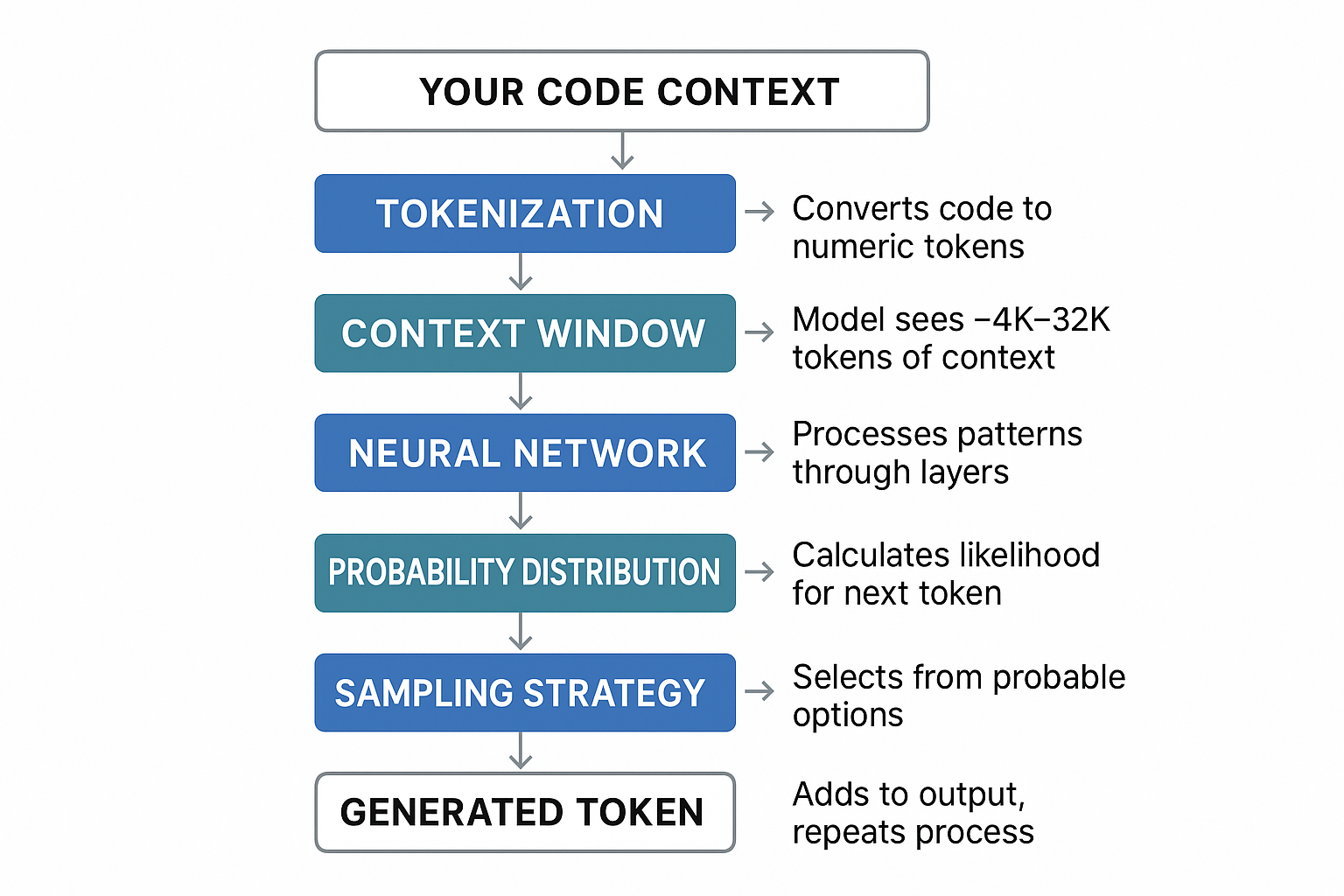
View original ASCII
[Your Code Context]
      |
      v
[Tokenization] ──> Converts code to numeric tokens
      |
      v
[Context Window] ──> Model sees ~4K-32K tokens of context
      |
      v
[Neural Network] ──> Processes patterns through layers
      |
      v
[Probability Distribution] ──> Calculates likelihood for next token
      |
      v
[Sampling Strategy] ──> Selects from probable options
      |
      v
[Generated Token] ──> Adds to output, repeats process
Let's see this in action with a concrete example. Suppose you've written:
def calculate_average(numbers):
    if not numbers:
        return 0
    # AI continues from here
The AI analyzes this context and considers what typically comes next in functions that calculate averages. It generates a probability distribution over possible next tokens:
"total" or "sum":     45% probability
"return":             20% probability
"count":              15% probability
"result":             10% probability
Other tokens:         10% probability
Based on these probabilities, it might generate:
def calculate_average(numbers):
    if not numbers:
        return 0
    total = sum(numbers)
    return total / len(numbers)
⚠️ Common Mistake #1: Believing the AI "reasoned through" the problem. It didn't. It recognized this pattern appears frequently in its training data and predicted the statistically likely continuation. ⚠️
Memorization vs. Pattern Matching vs. Understanding
One of the most critical distinctions for developers to grasp is what AI models are actually doing when they generate code. These three phenomena look similar on the surface but have vastly different implications.
Memorization occurs when the model has seen nearly identical code during training and reproduces it almost verbatim. This happens especially with:
🔒 Standard library usage (the model has seen import json millions of times)
📚 Classic algorithms (binary search, quicksort implementations)
🎯 Boilerplate code (setup patterns, configuration templates)
Pattern matching is when the model recognizes structural similarities and applies learned templates to new contexts:
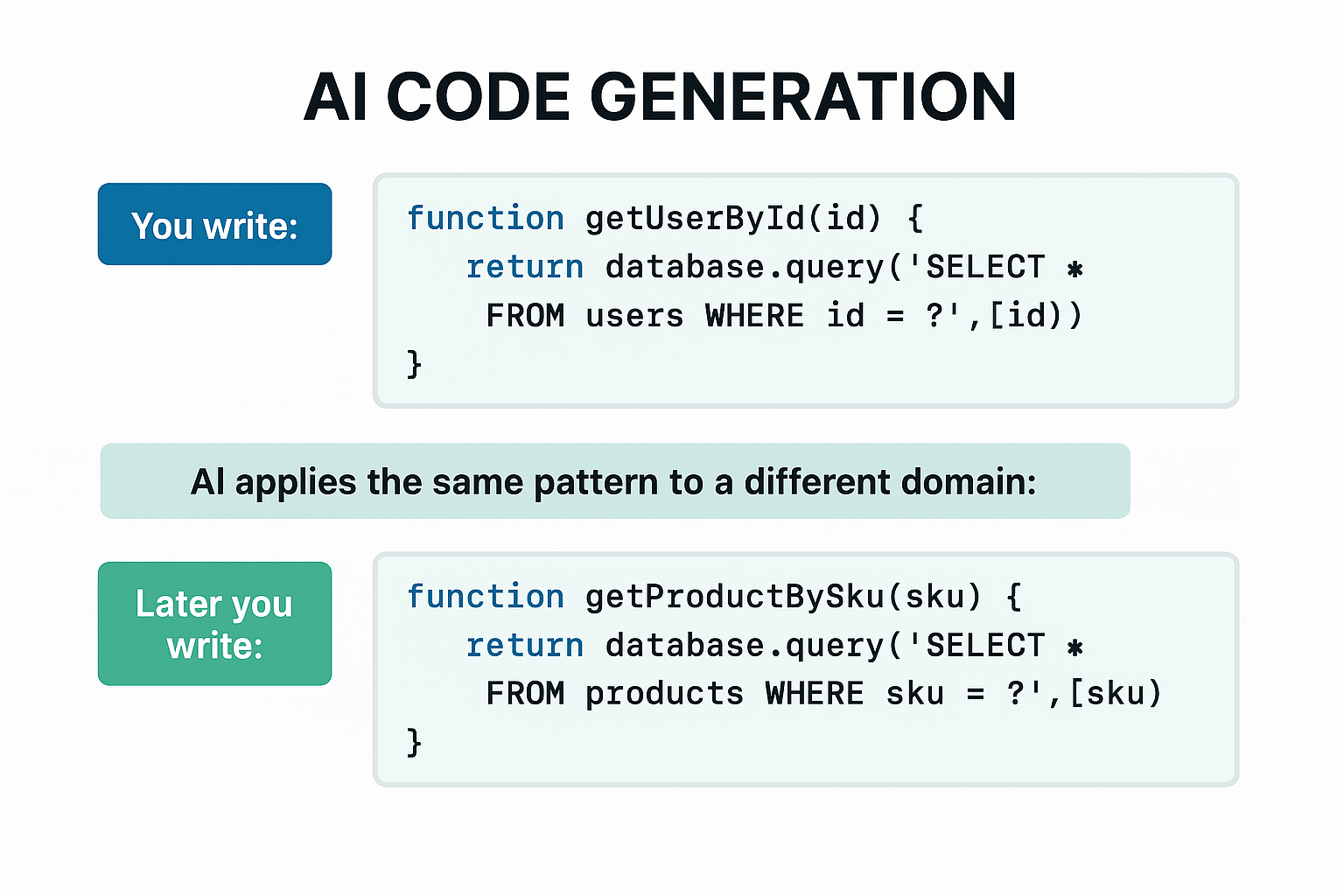
View original ASCII
// You write:
function getUserById(id) {
    // AI recognizes the CRUD pattern and generates:
    return database.query('SELECT * FROM users WHERE id = ?', [id]);
}
// Later you write:
function getProductBySku(sku) {
// AI applies the same pattern to a different domain:
return database.query('SELECT * FROM products WHERE sku = ?', [sku]);
}
The model hasn't memorized the second function—it's applying the pattern it learned from countless similar functions.
True understanding would involve:
- Knowing why parameterized queries prevent SQL injection
- Understanding the performance implications of SELECT *
- Recognizing when this pattern is inappropriate
- Adapting to novel situations requiring genuine reasoning
✅ Correct thinking: "The AI is excellent at applying common patterns to familiar contexts." ❌ Wrong thinking: "The AI understands my codebase and can make architectural decisions."
🤔 Did you know? Research shows that LLMs can generate correct code for problems similar to their training data about 70-80% of the time, but this drops to 20-30% for novel problem combinations they haven't encountered.
What AI Code Generators Do Well
Understanding the strengths of AI code generation helps you leverage these tools effectively. AI excels at tasks that involve recognizing and reproducing common patterns:
1. Boilerplate and Repetitive Code
AI generators shine when creating standard structures that appear frequently in codebases:
// You type: "Create a React component for a user profile card"
// AI generates:

import React from 'react';

interface UserProfileProps {
  name: string;
  email: string;
  avatarUrl?: string;
}

const UserProfileCard: React.FC<UserProfileProps> = ({
  name,
  email,
  avatarUrl
}) => {
  return (
    <div className="profile-card">
      {avatarUrl && <img src={avatarUrl} alt={name} />}
      <h2>{name}</h2>
      <p>{email}</p>
    </div>
  );
};

export default UserProfileCard;
This code is well-generated because it follows extremely common React patterns that appear thousands of times in the training data.
2. Standard Algorithms and Data Structures
For textbook implementations, AI performs reliably:
💡 Real-World Example: If you need a binary search implementation, the AI will almost certainly provide a correct one—it has seen this algorithm implemented correctly in virtually every programming language hundreds of times.
3. Code Translation Between Languages
When converting logic from one language to another, AI can recognize equivalent patterns:
# Python input
def filter_active_users(users):
    return [u for u in users if u.is_active]
The AI can reliably convert this to JavaScript:
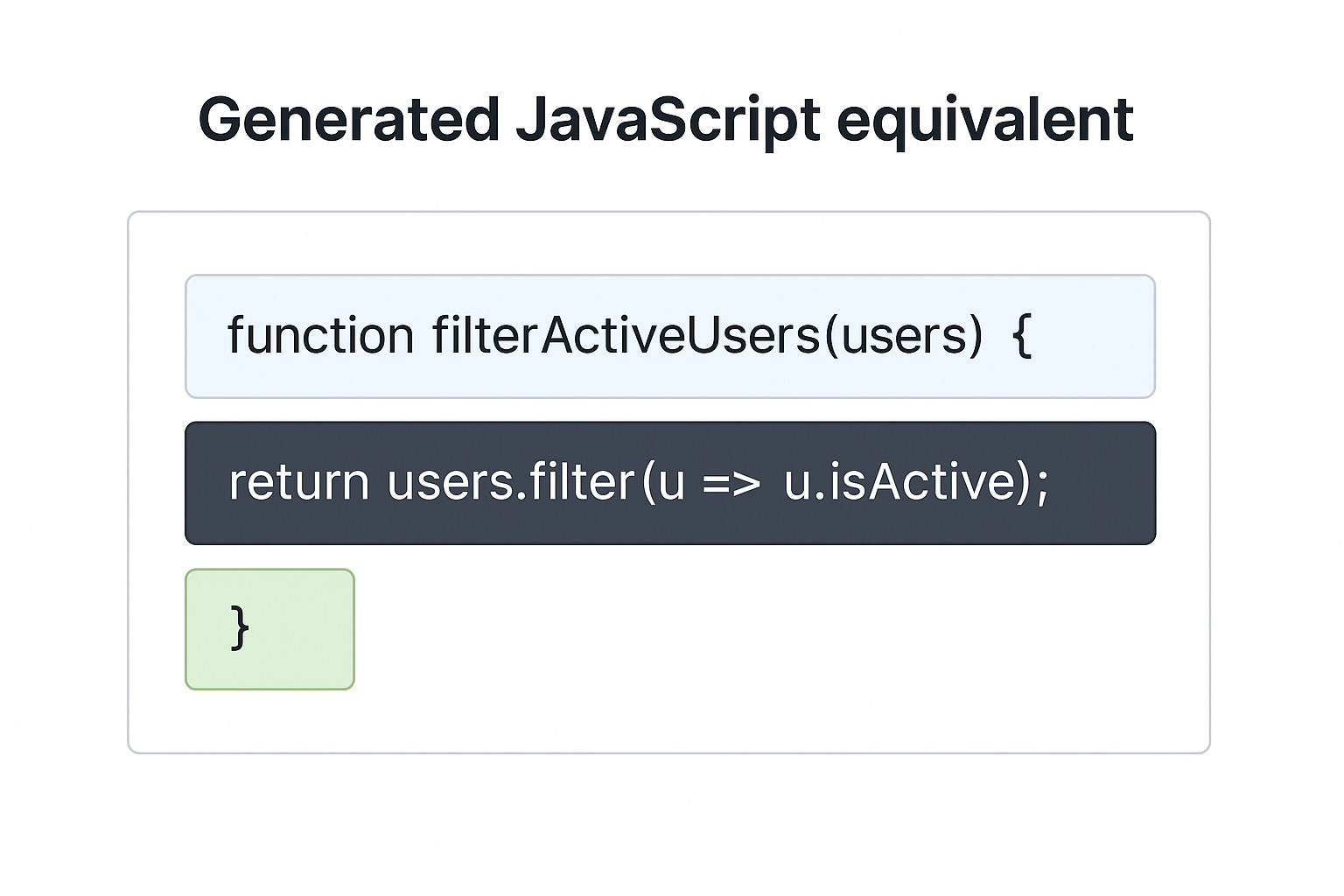
View original ASCII
// Generated JavaScript equivalent
function filterActiveUsers(users) {
    return users.filter(u => u.isActive);
}
4. Completing Obvious Patterns
When you've established a clear pattern, AI excels at continuing it:
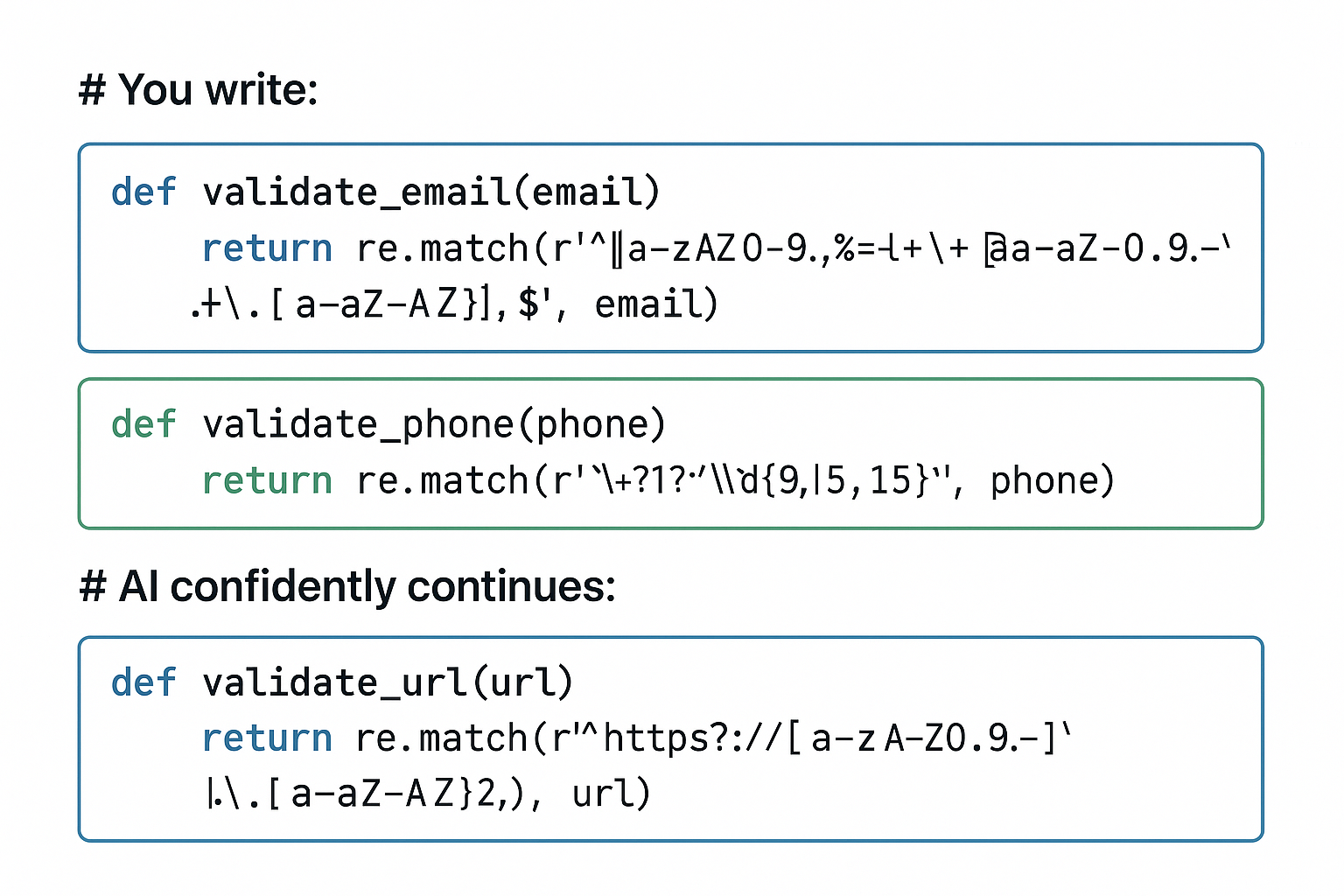
View original ASCII
# You write:
def validate_email(email):
    return re.match(r'^[a-zA-Z0-9._%+-]+@[a-zA-Z0-9.-]+\.[a-zA-Z]{2,}$', email)
def validate_phone(phone):
return re.match(r'^+?1?\d{9,15}$', phone)
AI confidently continues:
def validate_url(url):
return re.match(r'^https?://[a-zA-Z0-9.-]+.[a-zA-Z]{2,}', url)
5. Test Case Generation
AI can generate reasonable test cases for straightforward functions by recognizing common testing patterns:
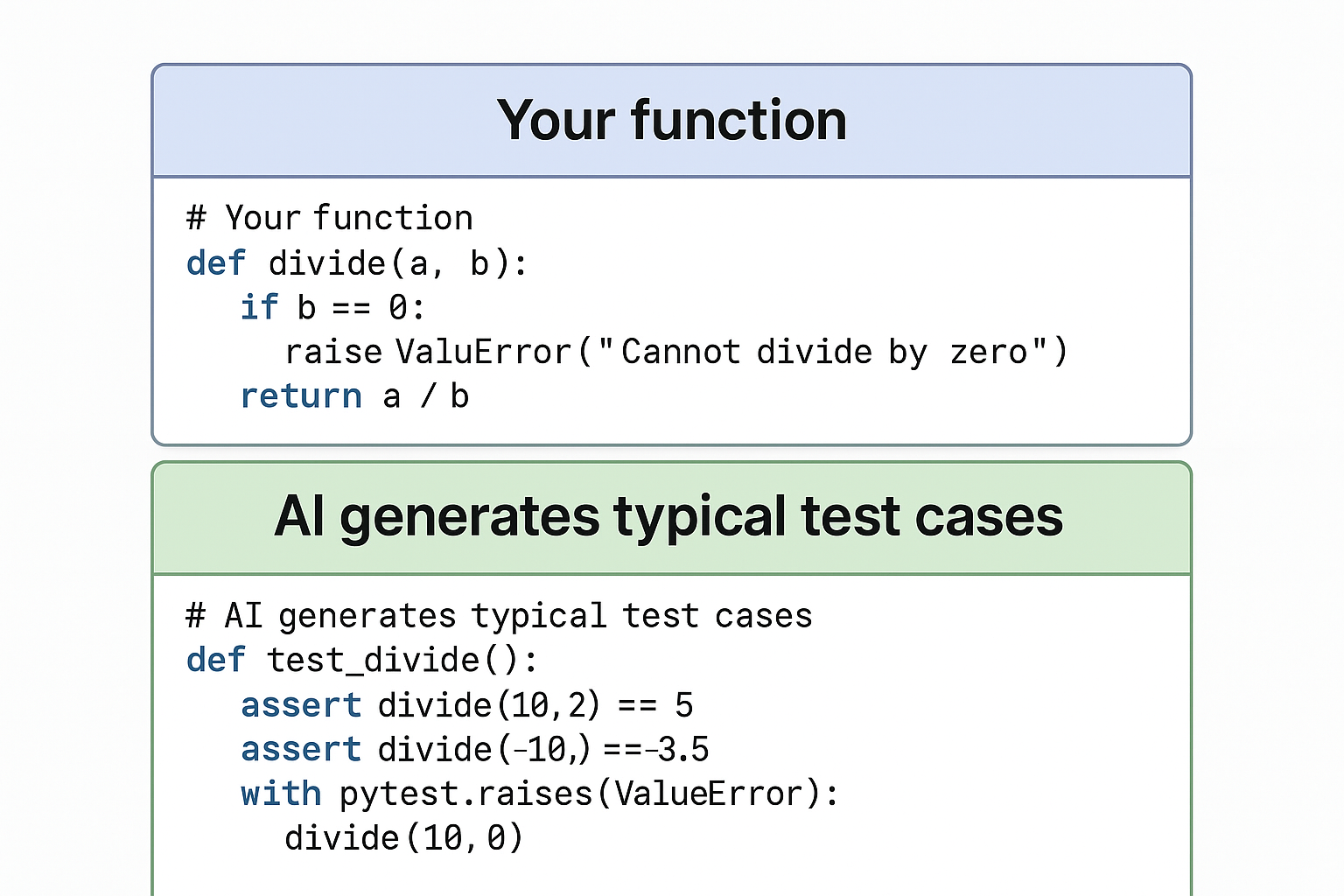
View original ASCII
# Your function
def divide(a, b):
    if b == 0:
        raise ValueError("Cannot divide by zero")
    return a / b
AI generates typical test cases
def test_divide():
assert divide(10, 2) == 5
assert divide(7, 2) == 3.5
assert divide(-10, 2) == -5
with pytest.raises(ValueError):
    divide(10, 0)</pre>
What AI Code Generators Do Poorly
Understanding limitations is equally crucial. AI struggles with tasks requiring genuine reasoning, domain expertise, or novel problem-solving:
1. Novel Problem-Solving
When a problem requires combining concepts in ways not commonly seen together, AI often produces plausible-looking but incorrect code.
⚠️ Common Mistake #2: Trusting AI with complex business logic that combines domain-specific rules. The AI hasn't seen your particular business context and will generate generic code that misses critical edge cases. ⚠️
2. Security-Critical Code
AI frequently generates code with security vulnerabilities because:
- Many examples in training data contain security flaws
- Secure patterns are often more verbose and less common
- Security requires understanding threat models, not just syntax
# AI might generate this (UNSAFE):
def execute_user_command(command):
    return os.system(command)  # Command injection vulnerability!

# When it should generate:
def execute_user_command(command):
    allowed_commands = ['list', 'status', 'help']
    if command not in allowed_commands:
        raise ValueError("Invalid command")
    return subprocess.run([command], capture_output=True, check=True)
3. Performance-Critical Code
AI generates functional code but rarely optimized code:
# AI might generate (works but inefficient):
def find_duplicates(items):
    duplicates = []
    for item in items:
        if items.count(item) > 1 and item not in duplicates:
            duplicates.append(item)
    return duplicates
    # O(n²) complexity - counts repeatedly

# Better implementation requires understanding performance:
def find_duplicates(items):
    seen = set()
    duplicates = set()
    for item in items:
        if item in seen:
            duplicates.add(item)
        seen.add(item)
    return list(duplicates)
    # O(n) complexity
4. Context-Dependent Code
AI has limited context awareness. It sees your immediate code but doesn't understand:
🏗️ Overall architecture (microservices vs. monolith implications) 🔒 Security requirements (PCI compliance, HIPAA regulations) ⚡ Performance constraints (real-time systems, memory limitations) 📊 Data scale (algorithms that work for 100 items but not 1 million)
5. Maintaining Consistency
AI might generate code that contradicts conventions elsewhere in your codebase:
💡 Real-World Example: Your team uses async/await throughout, but the AI generates Promise.then() chains because both patterns exist abundantly in training data. The AI doesn't maintain stylistic consistency with your project.
The Context Window: Why AI Doesn't See Everything
A crucial technical limitation affects all AI code generators: the context window—the amount of code and text the model can "see" at once.
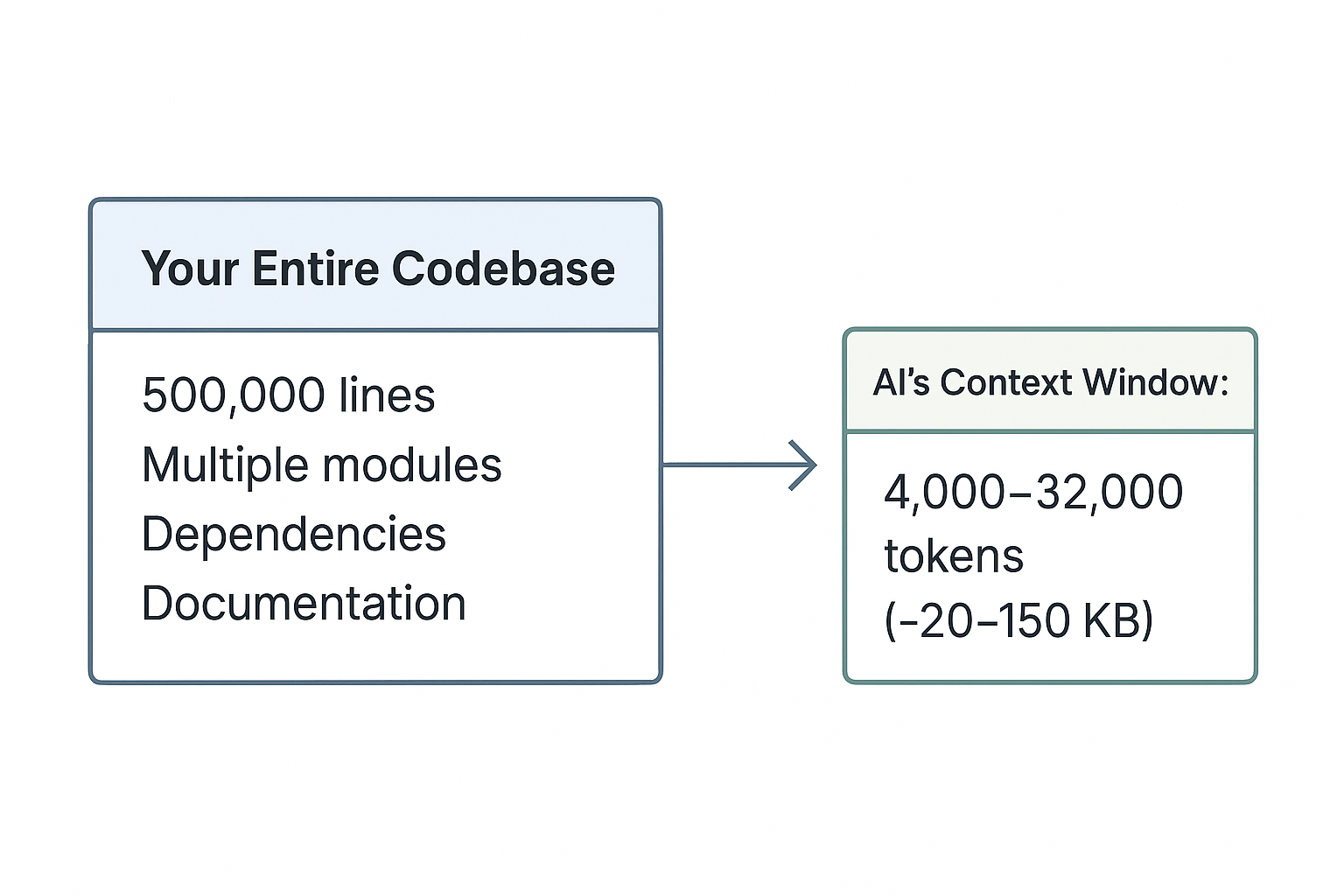
View original ASCII
Your Entire Codebase:        AI's Context Window:
┌─────────────────────┐      ┌──────────────┐
│   500,000 lines     │      │  4,000-32,000│
│   Multiple modules  │ ───> │    tokens    │
│   Dependencies      │      │  (~20-150 KB)│
│   Documentation     │      │              │
└─────────────────────┘      └──────────────┘
🎯 Key Principle: The AI only sees a small window of recent code. It doesn't have access to your entire codebase, your database schema, your API documentation, or your team's architectural decisions.
This explains why AI might:
- Suggest a function that already exists elsewhere in your code
- Use a deprecated API that's been replaced
- Violate conventions established in other files
- Miss dependencies between distant parts of the codebase
💡 Pro Tip: When working with AI, explicitly include relevant context in comments or your prompt. The AI can't infer what it can't see.
The Statistical Nature: Probabilistic, Not Deterministic
Unlike traditional compilers that deterministically transform code, AI generators are fundamentally probabilistic. The same prompt can yield different results:
Prompt: "Write a function to validate email addresses"

Generation 1:  Uses regex with comprehensive pattern
Generation 2:  Uses regex with simpler pattern
Generation 3:  Checks for @ and . characters only
Generation 4:  Uses a try/except with email parsing library
All of these were "plausible" based on the model's training. This variability means:
✅ You can regenerate to get different approaches ❌ You can't rely on reproducible behavior ✅ You can guide results with more specific prompts ❌ You can't guarantee the AI will "remember" context from earlier
Why Human Verification Is Non-Negotiable
Given these mechanisms and limitations, human verification isn't optional—it's essential. Here's why AI-generated code requires careful review:
1. Correctness Verification
The AI predicts plausible code, not necessarily correct code. It might:
- Have off-by-one errors in loops
- Mishandle edge cases (null, empty, boundary values)
- Use incorrect API signatures
- Make logical errors that compile but fail at runtime
2. Context Appropriateness
Even correct code might be wrong for your situation:
🔧 Technical context: Using blocking I/O in an async application 🏗️ Architectural context: Violating separation of concerns 📊 Scale context: Algorithm that doesn't scale with your data 🔒 Security context: Missing input validation for untrusted data
3. Integration Requirements
AI-generated code needs human expertise to:
- Ensure it works with existing error handling
- Integrate with logging and monitoring
- Follow team coding standards and conventions
- Update related documentation and tests
4. Maintainability Assessment
Humans must evaluate whether generated code is:
📚 Readable (can team members understand it?) 🧪 Testable (can it be effectively tested?) 🔄 Modifiable (can it be changed without breaking things?) 📖 Documented (are complex parts explained?)
💡 Mental Model: Think of AI code generation as an extremely fast junior developer who has read everything but understood nothing. They can write plausible code instantly, but you wouldn't merge their pull request without thorough review.
The Training Data Paradox
An interesting phenomenon shapes what AI generates well: the training data paradox. The most common patterns in training data aren't always the best patterns.
Consider that training data includes:
❌ Buggy code from repositories ❌ Deprecated examples from old documentation ❌ Security vulnerabilities from before they were known ❌ Bad practices from tutorial code ❌ Outdated patterns from legacy systems
🤔 Did you know? Studies have found that 10-30% of code on GitHub contains known vulnerabilities or bugs. Since AI models train on this data, they learn both good and bad patterns.
This means AI might confidently generate:
- Code using deprecated APIs (because they appear frequently in older code)
- Insecure patterns (because they were common before security awareness)
- Inefficient solutions (because they're easier to understand and teach)
⚠️ Common Mistake #3: Assuming that because AI suggests something confidently (generating it quickly and completely), it must be correct or best practice. Confidence and correctness are unrelated in AI systems. ⚠️
Building Your Mental Model
To work effectively with AI code generators, develop this mental framework:
AI Code Generator ≈ Sophisticated Autocomplete

   Based on:              Not based on:
   ✓ Pattern frequency    ✗ Logical reasoning
   ✓ Statistical likelihood ✗ Understanding requirements
   ✓ Training examples    ✗ Domain expertise
   ✓ Recent context       ✗ Full codebase knowledge
   ✓ Syntax rules         ✗ Architectural principles
🧠 Mnemonic: Remember "PASS" for AI capabilities:
- Patterns: Recognizes common code patterns
- Autocomplete: Sophisticated next-token prediction
- Statistical: Based on probability, not logic
- Superficial: No deep understanding of semantics
Practical Implications for Your Work
Understanding these mechanisms changes how you should use AI tools:
When to Trust AI More:
🎯 Standard implementations of well-known algorithms 🎯 Boilerplate code following common frameworks 🎯 Syntactic transformations (formatting, simple refactoring) 🎯 Code completion within established patterns
When to Trust AI Less:
⚠️ Novel business logic specific to your domain ⚠️ Security-critical functionality ⚠️ Performance-critical algorithms ⚠️ Code requiring cross-module coordination ⚠️ Anything involving compliance or regulatory requirements
💡 Pro Tip: Use AI to accelerate the routine parts of development (setup, boilerplate, common patterns), then invest your human expertise in the critical parts (architecture, security, business logic, optimization).
The Evolution Continues
It's important to recognize that AI code generation is rapidly evolving. Current limitations may not be permanent:
📈 Context windows are expanding (from 4K to 32K to 100K+ tokens) 🧠 Models are improving (better reasoning, fewer hallucinations) 🔧 Tools are adding features (codebase indexing, test execution) 💡 Hybrid approaches emerging (combining AI with static analysis)
However, the fundamental statistical nature remains. Even as models improve, they're still predicting likely continuations based on training data, not reasoning from first principles.
Putting It All Together
AI code generation is powerful but fundamentally different from human programming. It excels at pattern recognition and reproduction, generating syntactically correct code that follows common conventions. It struggles with novel problem-solving, security considerations, and context that extends beyond its limited window.
The key to surviving—and thriving—as a developer in this AI-augmented world is understanding what's actually happening when AI generates code. You're not being replaced by a system that understands software development better than you. You're being given a tool that can rapidly produce plausible code based on statistical patterns, which you must then evaluate, adapt, and integrate using your genuine understanding of the problem domain, architecture, and requirements.
📋 Quick Reference Card: AI Code Generation Capabilities
| Capability | Strength Level | Why? |
|---|---|---|
| 🎯 Boilerplate code | ⭐⭐⭐⭐⭐ | Extremely common patterns |
| 🔧 Standard algorithms | ⭐⭐⭐⭐⭐ | Heavily represented in training |
| 📚 Documentation/comments | ⭐⭐⭐⭐ | Clear patterns exist |
| 🧪 Basic test cases | ⭐⭐⭐⭐ | Testing patterns are common |
| 🔄 Code translation | ⭐⭐⭐⭐ | Parallel patterns across languages |
| 🏗️ Novel architectures | ⭐⭐ | Requires reasoning |
| 🔒 Security-critical code | ⭐⭐ | Training includes vulnerabilities |
| ⚡ Performance optimization | ⭐⭐ | Requires profiling and analysis |
| 💼 Business logic | ⭐ | Needs domain understanding |
| 🎯 Context-aware decisions | ⭐ | Limited context window |
In the next section, we'll explore how your role as a developer evolves in response to these AI capabilities—shifting from primarily writing code to curating, validating, and architecting systems that increasingly include AI-generated components.
The Developer's New Responsibilities: From Coder to Code Curator
The developer's keyboard has always been a tool of creation—a blank canvas where logic takes form and solutions emerge character by character. But something fundamental has shifted. That blank canvas now comes pre-sketched, and the role of the developer has evolved from artist to art director. Where once you assembled every line yourself, you now increasingly orchestrate, evaluate, and refine code that arrives fully formed from AI systems.
This transformation isn't about losing skills—it's about gaining new ones. The developer who thrives in this AI-augmented reality becomes a code curator: someone who can read more code than they write, who understands architecture deeply enough to spot flaws in implementations they didn't create, and who maintains the critical judgment that separates working code from good code.
The Curator Mindset: Reading Before Writing
In traditional development, you might spend 60% of your time writing new code and 40% reading existing code. With AI generation, these ratios invert dramatically. You might spend 70-80% of your time evaluating code—reading AI suggestions, assessing their fit within your system, and deciding what deserves to enter your codebase.
🎯 Key Principle: The most valuable skill in AI-assisted development isn't writing code faster—it's reading code better.
Consider this scenario: Your AI assistant generates a function to process user authentication. Here's what it produces:
def authenticate_user(username, password):
    # Query database for user
    user = db.query("SELECT * FROM users WHERE username = '" + username + "'")

    if user and user.password == password:
        session_token = generate_token()
        db.query("INSERT INTO sessions VALUES ('" + session_token + "', '" + username + "')")
        return session_token
    return None
The AI has created syntactically correct code that works. But as a code curator, you need to spot multiple critical issues:
🔒 SQL injection vulnerability in the query construction 🔒 Plain-text password comparison instead of hashed comparison 🔒 Missing error handling for database operations 🔒 No rate limiting or brute force protection
A junior developer accepting this code because "the AI generated it" has failed in their curatorial responsibility. An experienced curator immediately recognizes these patterns and knows the code needs substantial modification:
from werkzeug.security import check_password_hash
import sqlalchemy
from typing import Optional

def authenticate_user(username: str, password: str) -> Optional[str]:
    """
    Authenticate user with secure password handling.
    Returns session token on success, None on failure.
    """
    try:
        # Use parameterized query to prevent SQL injection
        stmt = sqlalchemy.text("SELECT id, password_hash FROM users WHERE username = :username")
        result = db.execute(stmt, {"username": username}).fetchone()

        if not result:
            return None

        # Compare against hashed password
        if not check_password_hash(result.password_hash, password):
            return None

        # Generate and store session token
        session_token = generate_secure_token()
        stmt = sqlalchemy.text(
            "INSERT INTO sessions (token, user_id, created_at) VALUES (:token, :user_id, NOW())"
        )
        db.execute(stmt, {"token": session_token, "user_id": result.id})
        db.commit()

        return session_token

    except sqlalchemy.exc.SQLAlchemyError as e:
        db.rollback()
        log_authentication_error(e)
        return None
💡 Mental Model: Think of AI-generated code as a rough draft from an eager intern. It might solve the immediate problem, but it needs experienced review for security, maintainability, and architectural fit.
The Three-Gate Evaluation Framework
When AI presents you with code, you need a systematic approach to evaluation. I use what I call the Three-Gate Framework—three sequential checkpoints that code must pass before entering your codebase:
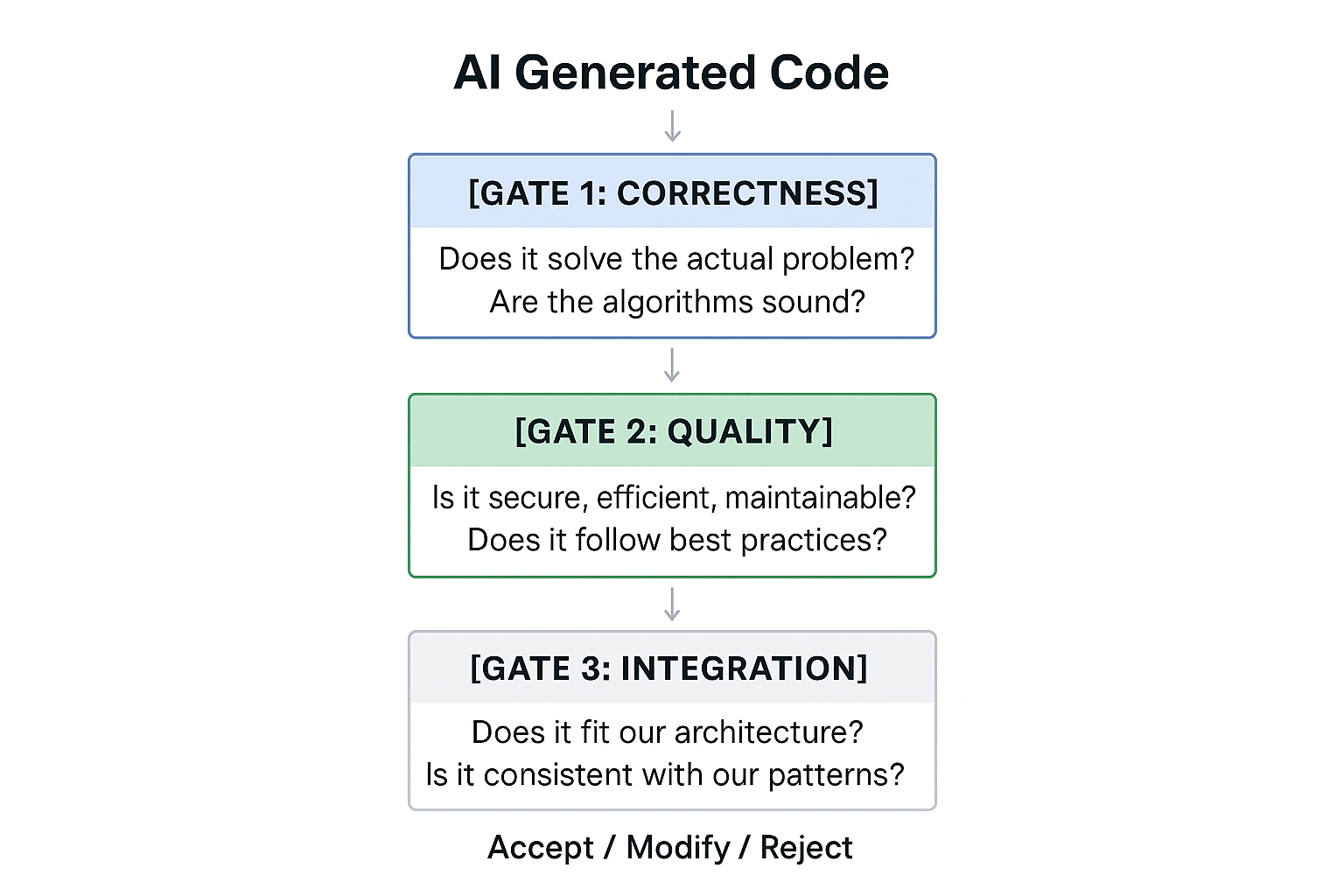
View original ASCII
AI Generated Code
       |
       v
 [GATE 1: CORRECTNESS]
 Does it solve the actual problem?
 Are the algorithms sound?
       |
       v
 [GATE 2: QUALITY]
 Is it secure, efficient, maintainable?
 Does it follow best practices?
       |
       v
 [GATE 3: INTEGRATION]
 Does it fit our architecture?
 Is it consistent with our patterns?
       |
       v
 Accept / Modify / Reject
Gate 1: Correctness seems obvious, but AI can generate code that appears to work while containing subtle logical errors. Test the edge cases. What happens with empty inputs? Null values? Extremely large datasets? The AI trained on common patterns—your application might have uncommon requirements.
⚠️ Common Mistake 1: Assuming that code which passes initial tests is correct. AI-generated code often handles the "happy path" well but fails on edge cases. ⚠️
Gate 2: Quality is where most AI-generated code needs work. The AI optimizes for "code that runs" not "code that runs well". Look for:
🔧 Performance implications (unnecessary loops, inefficient algorithms) 🔧 Security vulnerabilities (injection attacks, exposed credentials) 🔧 Error handling (often minimal or absent) 🔧 Code clarity (variable names, comments, structure)
Gate 3: Integration requires the deepest understanding of your system. Even perfect code in isolation can be wrong for your codebase. Does this new function duplicate existing functionality? Does it violate your team's architectural decisions? Will it create maintenance burden?
💡 Pro Tip: Create a checklist based on these three gates specific to your project. Review it weekly and update it as you discover new patterns of AI-generated issues.
Knowing When to Accept, Modify, or Reject
Not all AI suggestions deserve the same treatment. Developing intuition for triage—quickly categorizing suggestions as accept, modify, or reject—is crucial for productivity.
Accept immediately (typically 20-30% of AI suggestions):
- Boilerplate code that follows established patterns exactly
- Standard library usage for common operations
- Simple utility functions with clear, limited scope
- Code for well-defined problems with established solutions
💡 Real-World Example: AI generates a function to format a date string. It uses the standard library correctly, handles timezones appropriately, and matches your project's date format conventions. This is an immediate accept—it would take you longer to write it than to verify it's correct.
Modify before accepting (typically 50-60% of AI suggestions):
- Core logic is sound but implementation needs refinement
- Missing error handling or edge case coverage
- Security concerns that can be addressed with modifications
- Correct but not idiomatic for your codebase
This is the curator's primary domain. You're not starting from scratch, but you're applying expertise to elevate the raw material.
Reject entirely (typically 15-25% of AI suggestions):
- Fundamentally wrong approach to the problem
- Would require more work to fix than to write fresh
- Violates core architectural decisions
- Security issues too deep to salvage
- Over-engineered solutions to simple problems
🤔 Did you know? Studies show that developers spend an average of 35% longer debugging modified AI code compared to code they wrote themselves. This is because AI-generated code often lacks the mental model the developer would have built while writing it originally.
❌ Wrong thinking: "The AI generated 50 lines of code, so I should use it even if I need to modify 40 of them—it's still faster."
✅ Correct thinking: "If I need to substantially modify the code, I should evaluate whether starting fresh would be clearer and more maintainable."
Maintaining Architecture in an AI-Assisted World
AI code generators excel at solving local problems but struggle with global architecture. They generate functions, not systems. They create components, not coherent applications. Architectural integrity becomes the curator's primary responsibility.
Consider a microservices architecture where you've carefully designed service boundaries:
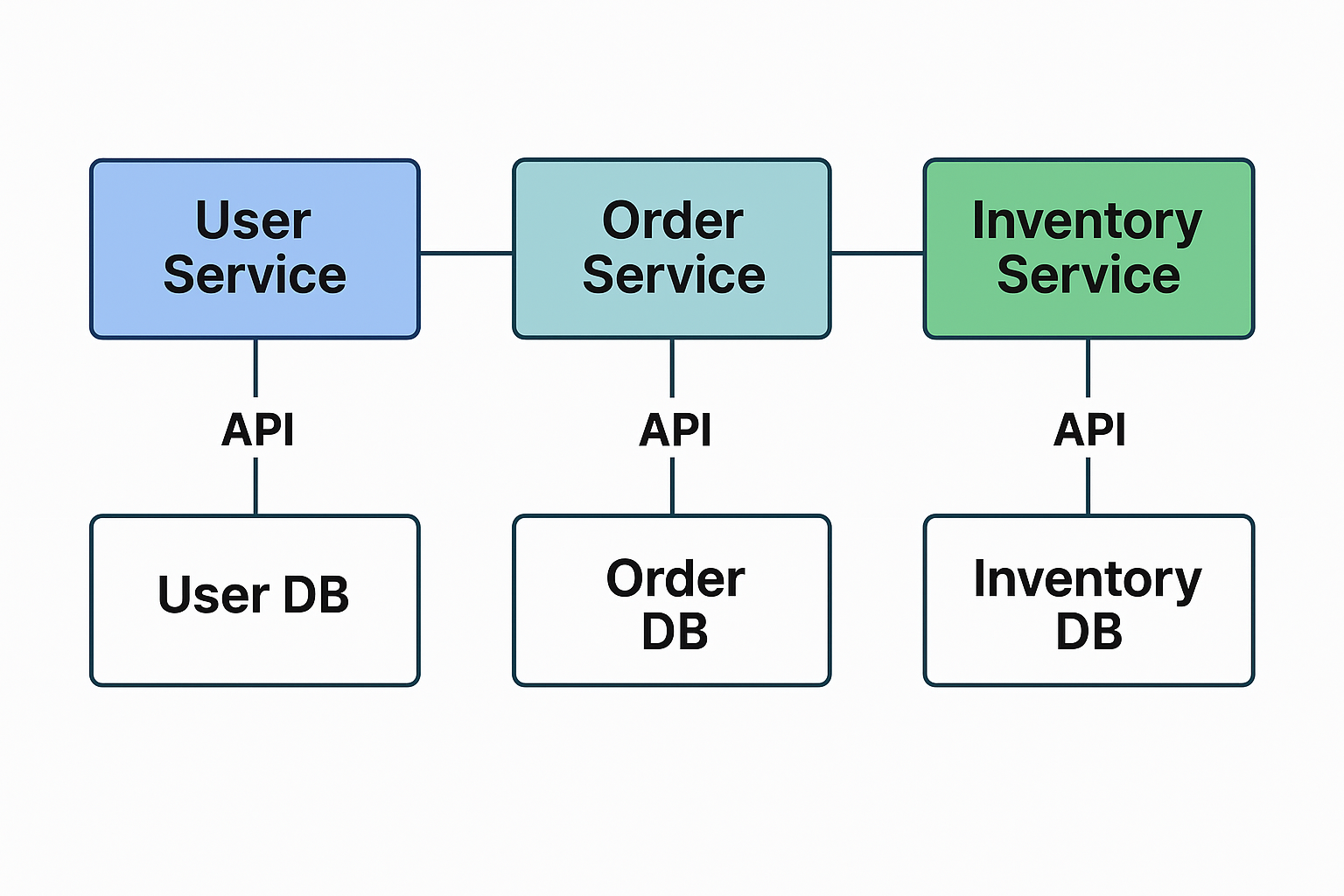
View original ASCII
[User Service] <---API---> [Order Service] <---API---> [Inventory Service]
       |                          |                            |
    [User DB]                [Order DB]                   [Inventory DB]
You ask AI to help implement a feature: "Show user order history with current inventory status." The AI might generate code that works but violates your architecture:
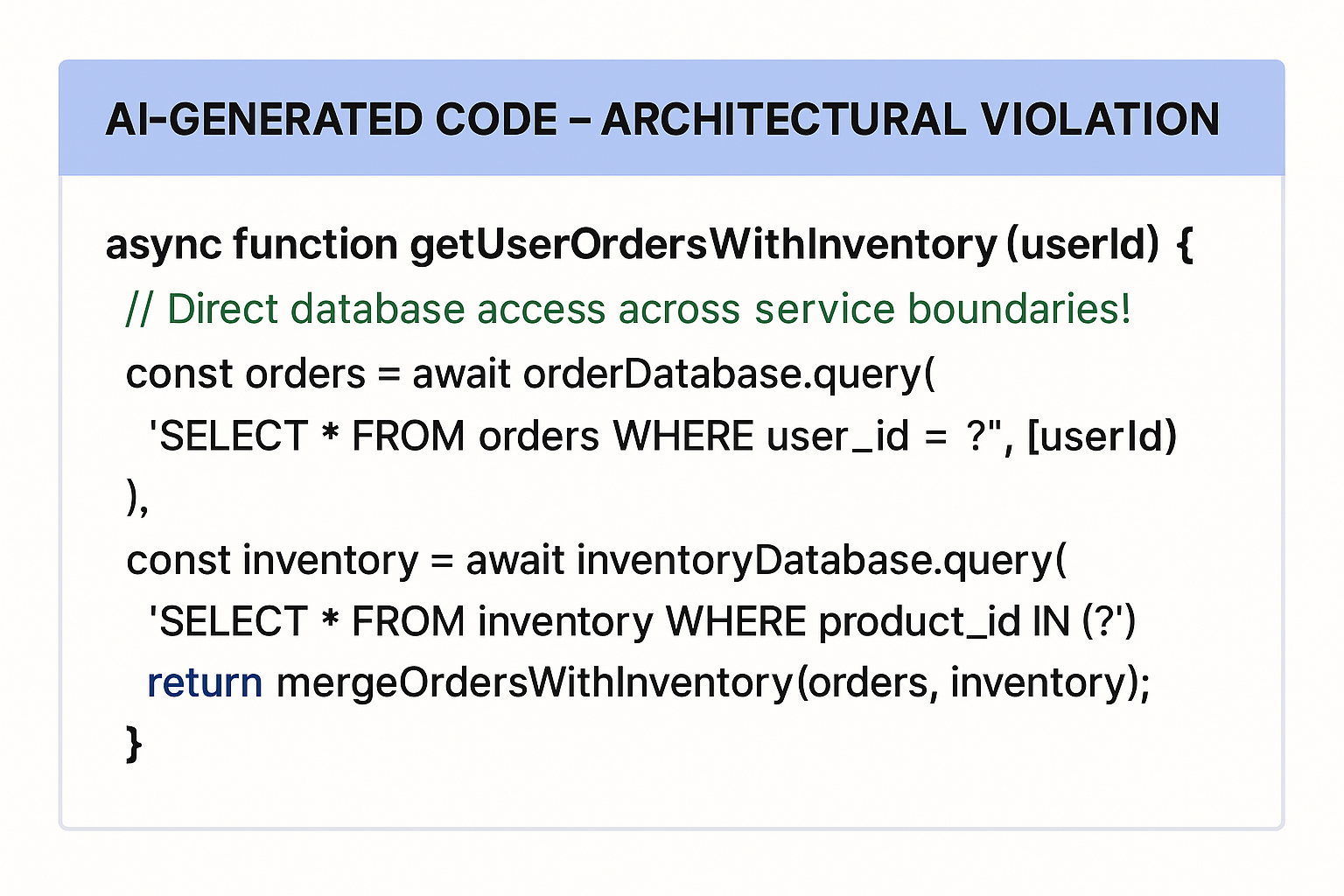
View original ASCII
// AI-generated code - ARCHITECTURAL VIOLATION
async function getUserOrdersWithInventory(userId) {
    // Direct database access across service boundaries!
    const orders = await orderDatabase.query(
        'SELECT * FROM orders WHERE user_id = ?', [userId]
    );

    const inventory = await inventoryDatabase.query(
        'SELECT * FROM inventory WHERE product_id IN (?)',
        [orders.map(o => o.product_id)]
    );

    return mergeOrdersWithInventory(orders, inventory);
}
This code "works" but creates tight coupling between services by accessing databases directly. A code curator recognizes this violates the architectural principle of service independence:
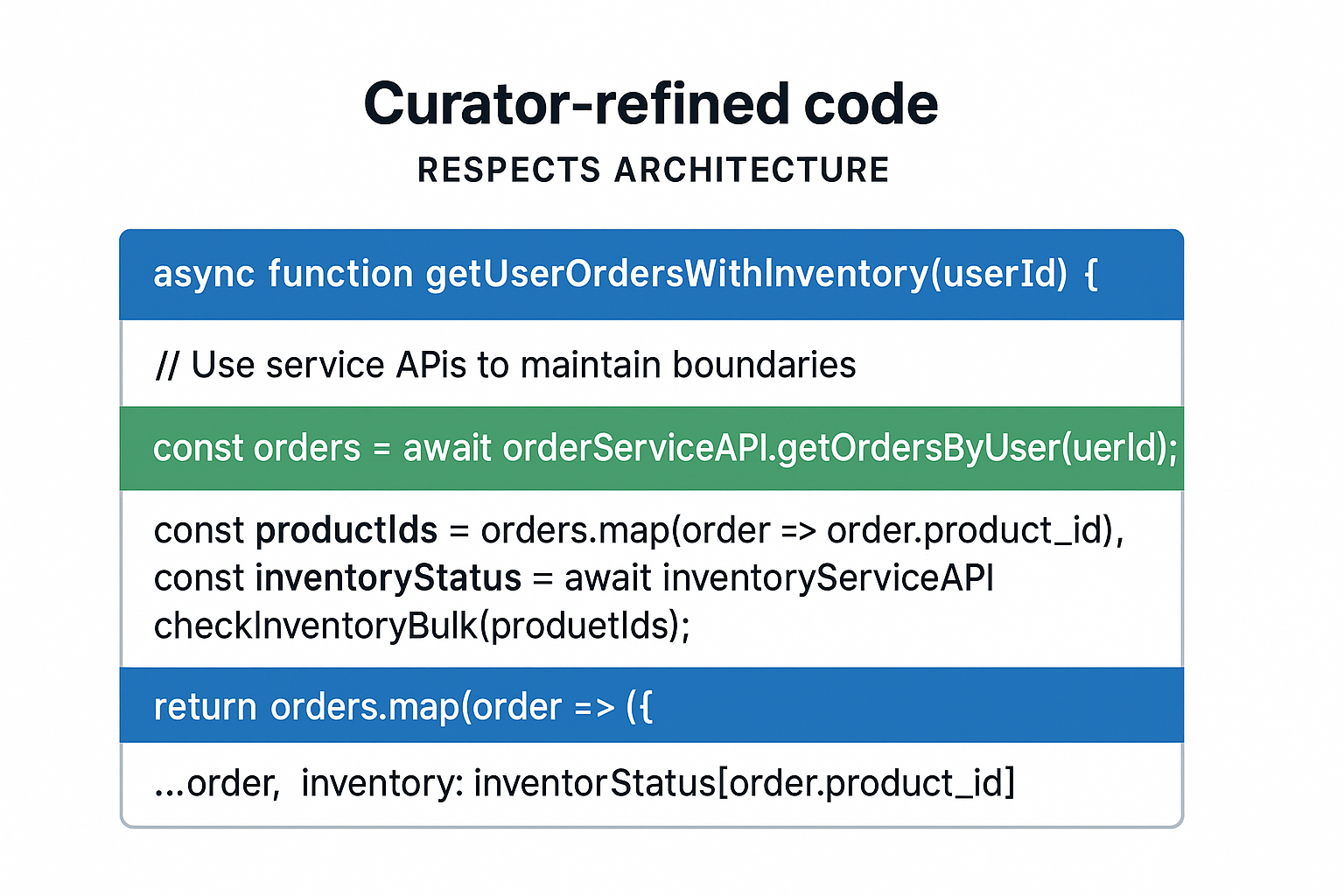
View original ASCII
// Curator-refined code - RESPECTS ARCHITECTURE
async function getUserOrdersWithInventory(userId) {
    // Use service APIs to maintain boundaries
    const orders = await orderServiceAPI.getOrdersByUser(userId);

    const productIds = orders.map(order => order.product_id);
    const inventoryStatus = await inventoryServiceAPI.checkInventoryBulk(productIds);

    return orders.map(order => ({
        ...order,
        inventory: inventoryStatus[order.product_id]
    }));
}
🎯 Key Principle: AI sees functions and files. You must see systems and boundaries. Never let AI convenience override architectural discipline.
Design Patterns: Teaching AI Your System's Language
Your codebase speaks a dialect—patterns, conventions, and idioms specific to your project. AI speaks a generic language trained on millions of repositories. As curator, you translate between these dialects.
Pattern enforcement means recognizing when AI-generated code, while functional, doesn't match your established patterns. For example, if your team uses a repository pattern for data access:
# Your established pattern
class UserRepository:
    def find_by_email(self, email: str) -> Optional[User]:
        # Encapsulated data access logic
        pass

    def save(self, user: User) -> User:
        # Encapsulated persistence logic
        pass

# But AI might generate direct database access
def get_user_by_email(email):
    return db.query("SELECT * FROM users WHERE email = ?", [email])
Even if the AI's approach works, accepting it erodes your architectural patterns. Part of curation is refactoring AI suggestions to fit your patterns:
def get_user_by_email(email: str) -> Optional[User]:
    """Retrieve user by email using repository pattern."""
    user_repo = UserRepository()
    return user_repo.find_by_email(email)
💡 Pro Tip: Create a "patterns library" document for your project. When onboarding AI tools, provide this as context. Many AI assistants can learn project-specific patterns if you explicitly teach them.
Debugging Code You Didn't Write: New Mental Models
Debugging has always required understanding code's intent. But when you wrote the code, you lived through its creation—you remember why you made certain decisions. With AI-generated code, you inherit the output without the journey. This requires forensic debugging: treating the code as evidence to be analyzed rather than a story you already know.
The Assumption Audit is your first debugging tool. AI makes assumptions based on its training data. List them explicitly:
📋 Quick Reference Card: Assumption Audit Checklist
| Category | Questions to Ask |
|---|---|
| 🔢 Data types | What types does this code assume? Are they always true? |
| 🌐 State | What state must exist before this runs? |
| ⚡ Performance | What size inputs did the AI assume? |
| 🔒 Security | What trust assumptions are made about inputs? |
| 🔄 Concurrency | Is this code thread-safe if it needs to be? |
| 💾 Resources | Are connections, files, memory properly managed? |
When debugging fails:
- Trace backwards from the error - Don't assume the stack trace points to the real issue
- Check the boundaries - AI-generated code often fails at integration points
- Verify assumptions explicitly - Add logging/assertions to validate what the code expects
- Consider the training gap - Is this problem rare enough that AI might not have good training data?
💡 Mental Model: Think of AI-generated code as having an invisible comment at the top: "Assumptions not explicitly stated." Your job is to discover and validate those assumptions.
⚠️ Common Mistake 2: Spending hours debugging AI-generated code when rewriting from scratch with proper understanding would take 30 minutes. Know when to abandon ship. ⚠️
Documentation: The Curator's Essential Tool
In a codebase where much of the code wasn't written by humans, documentation becomes critical infrastructure. You need to document not just what code does, but why it exists and how it was validated.
I recommend a curation log approach for AI-heavy projects:
## Feature: User Authentication Rate Limiting
**AI Generated:** 2024-01-15
**Curator:** Sarah Chen
**Status:** Modified and Accepted

### Original AI Approach
- Simple counter-based rate limiting
- In-memory storage
- 5-minute window

### Modifications Made
- Changed to Redis-backed storage for distributed systems
- Implemented sliding window algorithm
- Added exponential backoff for repeated violations

### Architectural Decisions
- Maintains separation from authentication service
- Uses existing Redis cluster
- Follows team's middleware pattern

### Testing Notes
- Added tests for distributed scenarios
- Verified behavior under Redis failure
- Load tested with 10K req/sec
This level of documentation serves multiple purposes:
🧠 Knowledge preservation - Future developers understand the reasoning 📚 Pattern learning - Teams identify common AI modifications needed 🔧 Audit trail - Track which code came from where 🎯 Quality improvement - Identify recurring AI weaknesses
🤔 Did you know? Teams that document their AI code curation process report 40% faster onboarding for new developers compared to teams that treat AI-generated code as if it were human-written.
The Balance: Efficiency Without Erosion
The curator role walks a fine line. Over-curation means you lose the efficiency gains AI provides—you might as well write everything yourself. Under-curation means technical debt accumulates, security vulnerabilities slip through, and architectural integrity erodes.
Find your balance point by tracking metrics:
- Acceptance rate: What percentage of AI suggestions do you use unmodified?
- Modification time: How long do you spend refining AI code vs. writing fresh?
- Bug density: Are AI-generated sections creating more issues?
- Architectural violations: How often does AI code break your patterns?
💡 Real-World Example: One team I worked with found their sweet spot at 35% acceptance, 50% modification, 15% rejection. They discovered that spending an extra 10 minutes upfront on clearer prompts reduced modification time by 30 minutes on average. Your ratios will differ—find what works for your context.
Building Your Curator Skillset
Becoming an effective code curator requires developing specific capabilities:
🧠 Speed reading code - You need to evaluate more code faster 🧠 Pattern recognition - Quickly identify anti-patterns and code smells 🧠 Security awareness - AI doesn't prioritize security like humans should 🧠 Architectural thinking - See how pieces fit into the larger system 🧠 Decisive judgment - Quickly triage accept/modify/reject
Practice deliberately: Set aside time to review open-source code. Give yourself 2 minutes per function to spot issues. This trains the rapid evaluation skill you need.
🧠 Mnemonic: CARES - The curator CARES about code:
- Correctness: Does it work?
- Architecture: Does it fit?
- Readability: Can others understand it?
- Efficiency: Does it perform well?
- Security: Is it safe?
From Resistance to Mastery
Many developers initially resist this role shift. "I became a developer to create, not critique," they say. But reconsider: architects create by choosing what to build and where. Film directors create by selecting takes and guiding performances. Editors create by shaping raw material into coherent narratives.
You're not diminished by becoming a curator—you're elevated. You're working at a higher level of abstraction, making decisions that shape systems rather than typing characters. The code you curate well is as much yours as code you typed character by character.
The developer who masters curation becomes invaluable. Anyone can accept AI suggestions blindly. Few can maintain architectural integrity, security standards, and code quality while leveraging AI's productivity boost. That's the skill that survives and thrives in the AI-augmented future.
🎯 Key Principle: Your value isn't in typing speed—it's in judgment quality. AI amplifies both good and bad judgment. Become someone with exceptional judgment, and AI becomes your force multiplier.
The curator role isn't a compromise or a fallback—it's the evolution of senior development. Master it, and you'll not just survive the AI transformation; you'll define what excellence looks like within it.
Practical Patterns: Working Effectively with AI Code Generators
The transition from writing every line of code yourself to orchestrating AI-generated code requires new patterns and practices. You're no longer just a coder—you're a code conductor, directing AI assistants to produce quality outputs while maintaining the architectural integrity of your systems. This section provides concrete workflows, examples, and checklists that transform AI from a novelty into a professional tool.
The Art of Prompt Engineering for Code
When you ask an AI to generate code, you're not just giving it instructions—you're providing context, constraints, and criteria that guide its pattern-matching algorithms toward useful outputs. The difference between mediocre and exceptional AI-generated code often lies in how you frame your request.
🎯 Key Principle: Specific context produces specific code. The more precisely you describe your environment, requirements, and constraints, the less refactoring you'll need to do.
Consider the difference between these two prompts:
❌ Wrong thinking: "Write a function to validate email addresses"
✅ Correct thinking: "Write a TypeScript function to validate email addresses according to RFC 5322, returning an object with isValid boolean and an error message string if invalid. Should handle international domain names. Include JSDoc comments and unit test examples."
The second prompt generates code that's immediately closer to production-ready because it specifies the language, the validation standard, the return type, internationalization requirements, and documentation expectations.
💡 Pro Tip: Create a prompt template for common development tasks. Include fields for: programming language, framework version, coding standards, return type expectations, error handling approach, and test requirements.
Here's a practical example of well-prompted AI code generation:
/**
 * Prompt: "Create a TypeScript rate limiter class using the token bucket algorithm.
 * Constructor should accept maxTokens and refillRate (tokens per second).
 * Include tryConsume(tokens) method that returns boolean.
 * Thread-safe for async operations. Include comprehensive JSDoc."
 */

class TokenBucketRateLimiter {
  private tokens: number;
  private lastRefill: number;
  private readonly maxTokens: number;
  private readonly refillRate: number;
  private lock: Promise<void> = Promise.resolve();

  /**
   * Creates a rate limiter using the token bucket algorithm
   * @param maxTokens - Maximum number of tokens the bucket can hold
   * @param refillRate - Number of tokens added per second
   */
  constructor(maxTokens: number, refillRate: number) {
    this.maxTokens = maxTokens;
    this.refillRate = refillRate;
    this.tokens = maxTokens;
    this.lastRefill = Date.now();
  }

  /**
   * Attempts to consume tokens from the bucket
   * @param tokens - Number of tokens to consume (default: 1)
   * @returns true if tokens were available and consumed, false otherwise
   */
  async tryConsume(tokens: number = 1): Promise<boolean> {
    // Ensure thread-safety by chaining operations
    return await (this.lock = this.lock.then(async () => {
      this.refill();

      if (this.tokens >= tokens) {
        this.tokens -= tokens;
        return true;
      }
      return false;
    }));
  }

  private refill(): void {
    const now = Date.now();
    const timePassed = (now - this.lastRefill) / 1000; // Convert to seconds
    const tokensToAdd = timePassed * this.refillRate;

    this.tokens = Math.min(this.maxTokens, this.tokens + tokensToAdd);
    this.lastRefill = now;
  }
}
This code likely required minimal modification because the prompt specified the algorithm, method signatures, concurrency requirements, and documentation standards. Notice how the AI included the async locking mechanism—that's because we explicitly mentioned "thread-safe for async operations."
The AI Code Review Checklist
AI-generated code requires a different review lens than human-written code. While humans make certain types of mistakes (logic errors, off-by-one bugs), AI makes different ones—pattern misapplication, context confusion, and subtle security vulnerabilities that appear in training data.
The 7-Point AI Code Review Framework:
🔧 1. Context Appropriateness: Does the code actually solve the problem you described, or did it solve a similar-sounding problem?
⚠️ Common Mistake: AI might generate a binary search when you needed a linear search with specific ordering requirements. The algorithm works, but violates unstated assumptions.
🔒 2. Security Vulnerabilities: Check for SQL injection patterns, XSS vulnerabilities, insecure randomness, and hardcoded credentials.
# ⚠️ AI might generate this - looks functional but has SQL injection risk
def get_user(username):
    query = f"SELECT * FROM users WHERE username = '{username}'"
    return db.execute(query)

# ✅ Your review should catch this and use parameterized queries
def get_user(username):
    query = "SELECT * FROM users WHERE username = ?"
    return db.execute(query, (username,))
🧠 3. Error Handling Completeness: AI often generates the "happy path" without comprehensive error handling.
💡 Mental Model: Think of AI-generated code as an optimistic junior developer's first draft—functionally correct in ideal conditions but missing edge cases.
🎯 4. Performance Implications: Does the algorithm scale appropriately? AI might suggest O(n²) solutions when O(n log n) is readily available.
📚 5. Dependency Hygiene: Check what libraries the AI imported. Are they maintained? Do they introduce unnecessary dependencies?
🤔 Did you know? AI models trained on older code repositories sometimes suggest deprecated packages or libraries with known security issues. Always verify package freshness and security advisories.
🔧 6. Code Style Consistency: Does it match your team's conventions? AI generates syntactically correct code, but might use different naming conventions, indentation styles, or organizational patterns.
🔒 7. Test Coverage Sufficiency: If AI generated tests, do they actually test the failure modes and edge cases, or just the happy path?
📋 Quick Reference Card:
| Review Aspect | ✅ Green Flags | 🚩 Red Flags |
|---|---|---|
| 🎯 Functionality | Solves stated problem completely | Solves similar but different problem |
| 🔒 Security | Parameterized queries, input validation | String concatenation for SQL/HTML |
| 🧠 Error Handling | Try-catch blocks, null checks | Assumes all inputs valid |
| ⚡ Performance | Appropriate algorithm complexity | Nested loops for large datasets |
| 📦 Dependencies | Current, maintained libraries | Deprecated or obscure packages |
| 🎨 Style | Matches team conventions | Inconsistent naming/formatting |
| 🧪 Tests | Edge cases and failures tested | Only happy path covered |
From AI Suggestion to Production: A Complete Workflow
Let's walk through a realistic scenario: building a webhook processing system that needs to handle retries with exponential backoff. This workflow demonstrates how professional developers integrate AI assistance into their normal development cycle.
Phase 1: Initial Prompt and Context Setting
Before asking AI to generate code, document your requirements:
Project Context:
- Node.js 18, TypeScript 5.1
- Existing infrastructure: AWS Lambda, SQS, DynamoDB
- Coding standards: ESLint (Airbnb), 80% test coverage minimum
- Error tracking: Sentry

Task: Implement webhook retry logic
- Exponential backoff: 2^attempt seconds
- Max 5 retry attempts
- Store retry state in DynamoDB
- Log failures to Sentry
- Must be testable (dependency injection)
💡 Real-World Example: This level of specificity transforms AI from "code suggestion box" to "specialized team member who understands the project."
Phase 2: Generate and Initial Review
With proper context, AI generates a starting point:
// AI-generated initial version
interface WebhookRetryConfig {
  maxAttempts: number;
  baseDelay: number;
}

interface WebhookPayload {
  id: string;
  url: string;
  data: Record<string, unknown>;
  attemptCount: number;
}

class WebhookRetryHandler {
  constructor(
    private config: WebhookRetryConfig,
    private dynamoDB: DynamoDB.DocumentClient,
    private logger: Logger
  ) {}

  async processWebhook(payload: WebhookPayload): Promise<void> {
    const delay = this.calculateDelay(payload.attemptCount);

    try {
      await this.sendWebhook(payload);
      await this.markSuccess(payload.id);
    } catch (error) {
      if (payload.attemptCount < this.config.maxAttempts) {
        await this.scheduleRetry(payload, delay);
      } else {
        await this.markFailed(payload.id, error);
        this.logger.error('Webhook failed after max attempts', { payload, error });
      }
    }
  }

  private calculateDelay(attemptCount: number): number {
    return Math.pow(2, attemptCount) * this.config.baseDelay;
  }

  private async sendWebhook(payload: WebhookPayload): Promise<void> {
    const response = await fetch(payload.url, {
      method: 'POST',
      headers: { 'Content-Type': 'application/json' },
      body: JSON.stringify(payload.data),
    });

    if (!response.ok) {
      throw new Error(`HTTP ${response.status}`);
    }
  }

  // ... additional methods for DynamoDB operations
}
Phase 3: Critical Review and Refinement
Applying our review checklist reveals several issues:
⚠️ Issue 1: No timeout on the fetch request (could hang indefinitely) ⚠️ Issue 2: Error handling doesn't distinguish between retryable errors (500s) and non-retryable (400s) ⚠️ Issue 3: No jitter in the backoff calculation (could cause thundering herd) ⚠️ Issue 4: Missing circuit breaker for repeatedly failing endpoints
Phase 4: Iterative Refinement
You prompt the AI again with specific fixes:
// Refined version after targeted prompts
private async sendWebhook(payload: WebhookPayload): Promise<void> {
  const controller = new AbortController();
  const timeoutId = setTimeout(() => controller.abort(), 30000); // 30s timeout

  try {
    const response = await fetch(payload.url, {
      method: 'POST',
      headers: {
        'Content-Type': 'application/json',
        'X-Webhook-Attempt': payload.attemptCount.toString(),
      },
      body: JSON.stringify(payload.data),
      signal: controller.signal,
    });

    clearTimeout(timeoutId);

    // Distinguish between retryable and non-retryable failures
    if (!response.ok) {
      const error = new Error(`HTTP ${response.status}`) as any;
      error.statusCode = response.status;
      error.retryable = response.status >= 500 || response.status === 429;
      throw error;
    }
  } catch (error: any) {
    clearTimeout(timeoutId);

    // Network errors and timeouts are retryable
    if (error.name === 'AbortError' || error.code === 'ECONNREFUSED') {
      error.retryable = true;
    }

    throw error;
  }
}

private calculateDelay(attemptCount: number): number {
  const exponentialDelay = Math.pow(2, attemptCount) * this.config.baseDelay;
  const jitter = Math.random() * 1000; // Add up to 1 second of jitter
  return exponentialDelay + jitter;
}
💡 Pro Tip: Use prompt chaining—instead of trying to get perfect code in one prompt, generate a baseline, identify specific issues, then prompt for targeted improvements. This often produces better results than an extremely complex initial prompt.
Phase 5: Testing Strategy
AI can generate test scaffolding, but you need to ensure critical paths are covered:
// Test structure (AI-assisted generation, human-directed scenarios)
describe('WebhookRetryHandler', () => {
  let handler: WebhookRetryHandler;
  let mockDynamoDB: jest.Mocked<DynamoDB.DocumentClient>;
  let mockLogger: jest.Mocked<Logger>;

  beforeEach(() => {
    mockDynamoDB = createMockDynamoDB();
    mockLogger = createMockLogger();
    handler = new WebhookRetryHandler(
      { maxAttempts: 5, baseDelay: 1000 },
      mockDynamoDB,
      mockLogger
    );
  });

  describe('exponential backoff calculation', () => {
    it('applies exponential delay with jitter', () => {
      const delays = Array.from({ length: 100 }, (_, i) =>
        handler['calculateDelay'](2)
      );

      // All delays should be between 4000 and 5000ms (2^2 * 1000 + jitter)
      delays.forEach(delay => {
        expect(delay).toBeGreaterThanOrEqual(4000);
        expect(delay).toBeLessThan(5000);
      });

      // Jitter should create variation
      const uniqueDelays = new Set(delays);
      expect(uniqueDelays.size).toBeGreaterThan(90); // Most should be unique
    });
  });

  describe('retryable vs non-retryable errors', () => {
    it('retries on 500 errors', async () => {
      global.fetch = jest.fn().mockResolvedValue({ ok: false, status: 500 });

      const payload = createTestPayload({ attemptCount: 1 });
      await handler.processWebhook(payload);

      expect(mockDynamoDB.put).toHaveBeenCalledWith(
        expect.objectContaining({ /* retry scheduled */ })
      );
    });

    it('does not retry on 400 errors', async () => {
      global.fetch = jest.fn().mockResolvedValue({ ok: false, status: 400 });

      const payload = createTestPayload({ attemptCount: 1 });
      await handler.processWebhook(payload);

      expect(mockLogger.error).toHaveBeenCalledWith(
        expect.stringContaining('non-retryable'),
        expect.any(Object)
      );
    });
  });

  // Human-added edge case that AI might miss
  it('handles timeout during retry scheduling', async () => {
    mockDynamoDB.put.mockImplementation(() => {
      throw new Error('ProvisionedThroughputExceededException');
    });

    const payload = createTestPayload({ attemptCount: 1 });

    // Should not crash, should log error, should trigger dead letter queue
    await expect(handler.processWebhook(payload)).resolves.not.toThrow();
    expect(mockLogger.error).toHaveBeenCalled();
  });
});
🎯 Key Principle: AI generates the test structure; humans identify the critical edge cases. Your domain knowledge tells you what scenarios matter—DynamoDB throttling, network partitions, malformed responses.
Version Control Practices for AI-Assisted Development
Working with AI-generated code introduces new considerations for version control. Your commit history becomes not just a record of changes, but a record of human decisions about AI suggestions.
Commit Message Pattern for AI-Assisted Work:
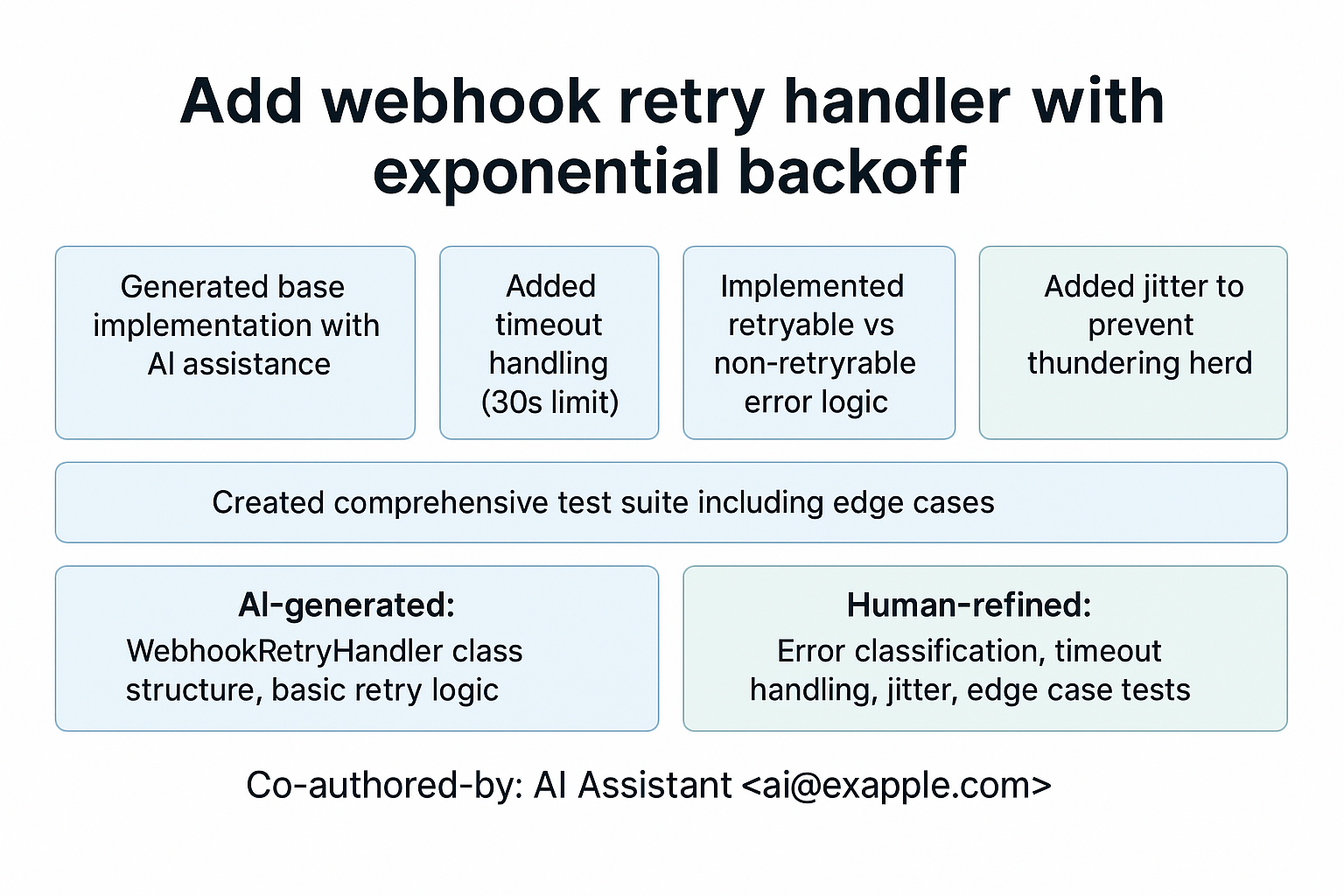
View original ASCII
Add webhook retry handler with exponential backoff
- Generated base implementation with AI assistance
- Added timeout handling (30s limit)
- Implemented retryable vs non-retryable error logic
- Added jitter to prevent thundering herd
- Created comprehensive test suite including edge cases
AI-generated: WebhookRetryHandler class structure, basic retry logic Human-refined: Error classification, timeout handling, jitter, edge case tests
Co-authored-by: AI Assistant ai@example.com
💡 Real-World Example: Some teams use a Co-authored-by convention for AI-generated code to maintain transparency about code origins. This helps during code archaeology when debugging issues months later.
Branching Strategy Consideration:
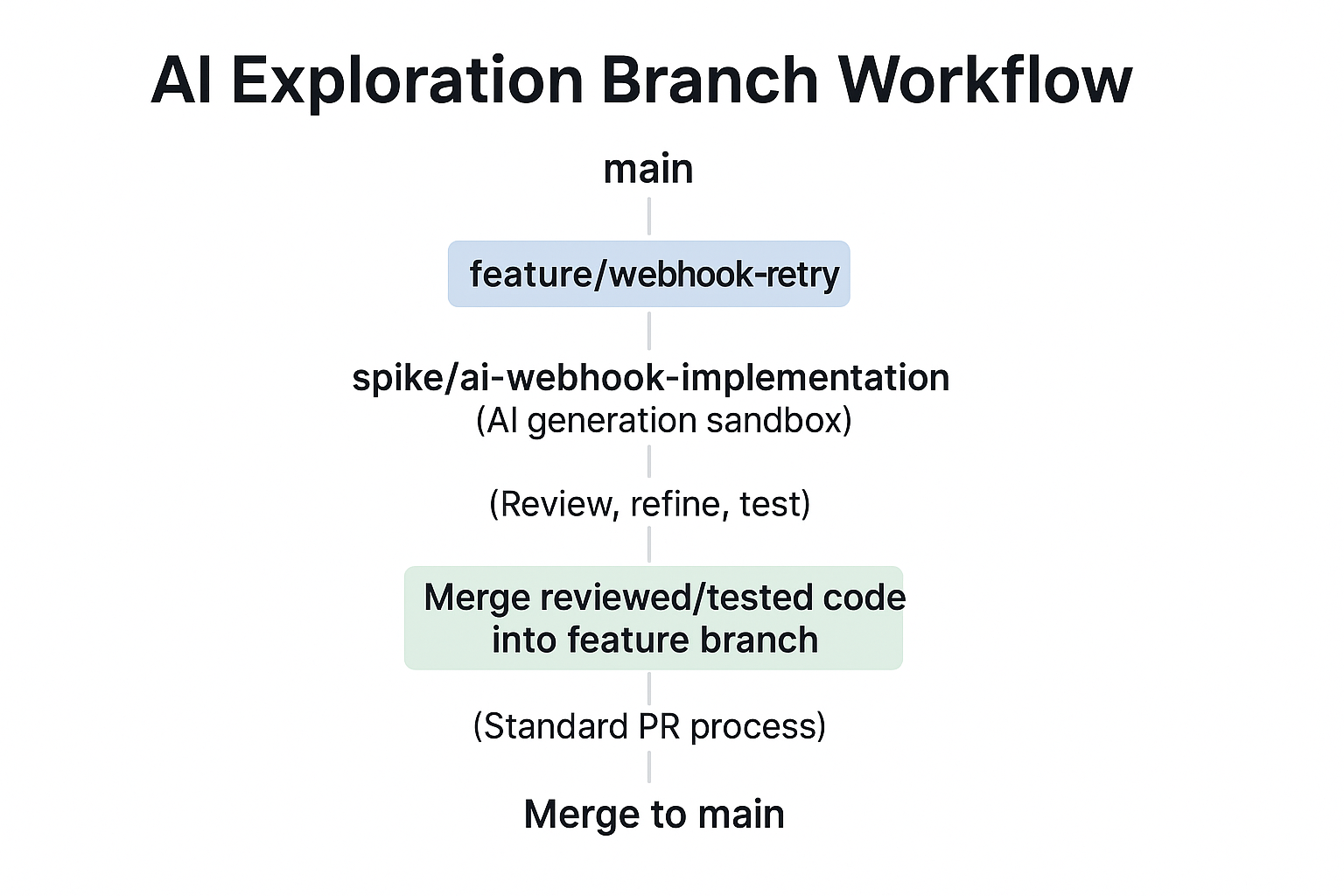
View original ASCII
AI Exploration Branch Workflow:main | +-- feature/webhook-retry | +-- spike/ai-webhook-implementation (AI generation sandbox) | (Review, refine, test) | +-- Merge reviewed/tested code into feature branch | (Standard PR process) | +-- Merge to main
Create a spike branch for AI exploration where you can generate multiple approaches, compare them, and pick the best parts. This keeps your feature branch clean and focused on production-ready code.
🧠 Mnemonic: GENERATE → REVIEW → REFINE → TEST → COMMIT (GRRCT - "Great Review Results in Clean Tests")
Advanced Pattern: The AI Pair Programming Loop
The most effective AI-assisted development isn't a one-shot generation—it's an iterative conversation. Here's how experienced developers structure this loop:
┌─────────────────────────────────────────────────────────────┐
│                   AI PAIR PROGRAMMING LOOP                   │
└─────────────────────────────────────────────────────────────┘

    1. CONTEXT                      2. GENERATE
   ┌─────────────┐                ┌──────────────┐
   │ • Problem   │───────────────>│ • AI creates │
   │ • Constraints│               │ • Initial    │
   │ • Standards │               │   draft      │
   └─────────────┘                └──────────────┘
         ^                               │
         │                               │
         │                               v
   ┌─────────────┐                ┌──────────────┐
   │ • Refine    │<───────────────│ • Human      │
   │   prompt    │                │   reviews    │
   │ • Add       │     5. ITERATE │ • Identifies │
   │   details   │                │   issues     │
   └─────────────┘                └──────────────┘
         ^                               │
         │                               │
         │                               v
         │                        ┌──────────────┐
         │                        │ • Test       │
         │                        │ • Validate   │
         │                        │ • Measure    │
         │                        └──────────────┘
         │                               │
         │                               │
         │          Decision Point       v
         │              ┌─────────────────────┐
         └──────────────│ Good enough?        │
              NO        └─────────────────────┘
                                   │ YES
                                   v
                            ┌──────────────┐
                            │   COMMIT     │
                            └──────────────┘
This loop typically runs 3-5 iterations for complex functionality. Each iteration refines a specific aspect—first the core algorithm, then error handling, then performance optimization, then test coverage.
Testing Strategies Specific to AI-Generated Code
AI-generated code requires supplemental testing approaches beyond traditional unit tests. These strategies catch AI-specific failure modes:
1. Property-Based Testing for Algorithm Verification
AI might generate an algorithm that works for common cases but fails on edge inputs. Property-based testing generates hundreds of random inputs to find these cases:
import * as fc from 'fast-check';

// AI generated a merge intervals function - let's verify its properties
describe('mergeIntervals (AI-generated)', () => {
  it('should maintain invariant: result intervals are sorted and non-overlapping', () => {
    fc.assert(
      fc.property(
        fc.array(fc.tuple(fc.integer(), fc.integer())), // Generate random intervals
        (intervals) => {
          const result = mergeIntervals(intervals);

          // Property 1: Result should be sorted
          for (let i = 1; i < result.length; i++) {
            expect(result[i][0]).toBeGreaterThan(result[i-1][1]);
          }

          // Property 2: No interval in input should be lost
          const totalInputCoverage = intervals.reduce(
            (sum, [start, end]) => sum + (end - start), 0
          );
          const totalOutputCoverage = result.reduce(
            (sum, [start, end]) => sum + (end - start), 0
          );
          expect(totalOutputCoverage).toBeLessThanOrEqual(totalInputCoverage);
        }
      )
    );
  });
});
2. Differential Testing Against Known Implementations
When AI generates an implementation of a standard algorithm, compare its output to a trusted library:
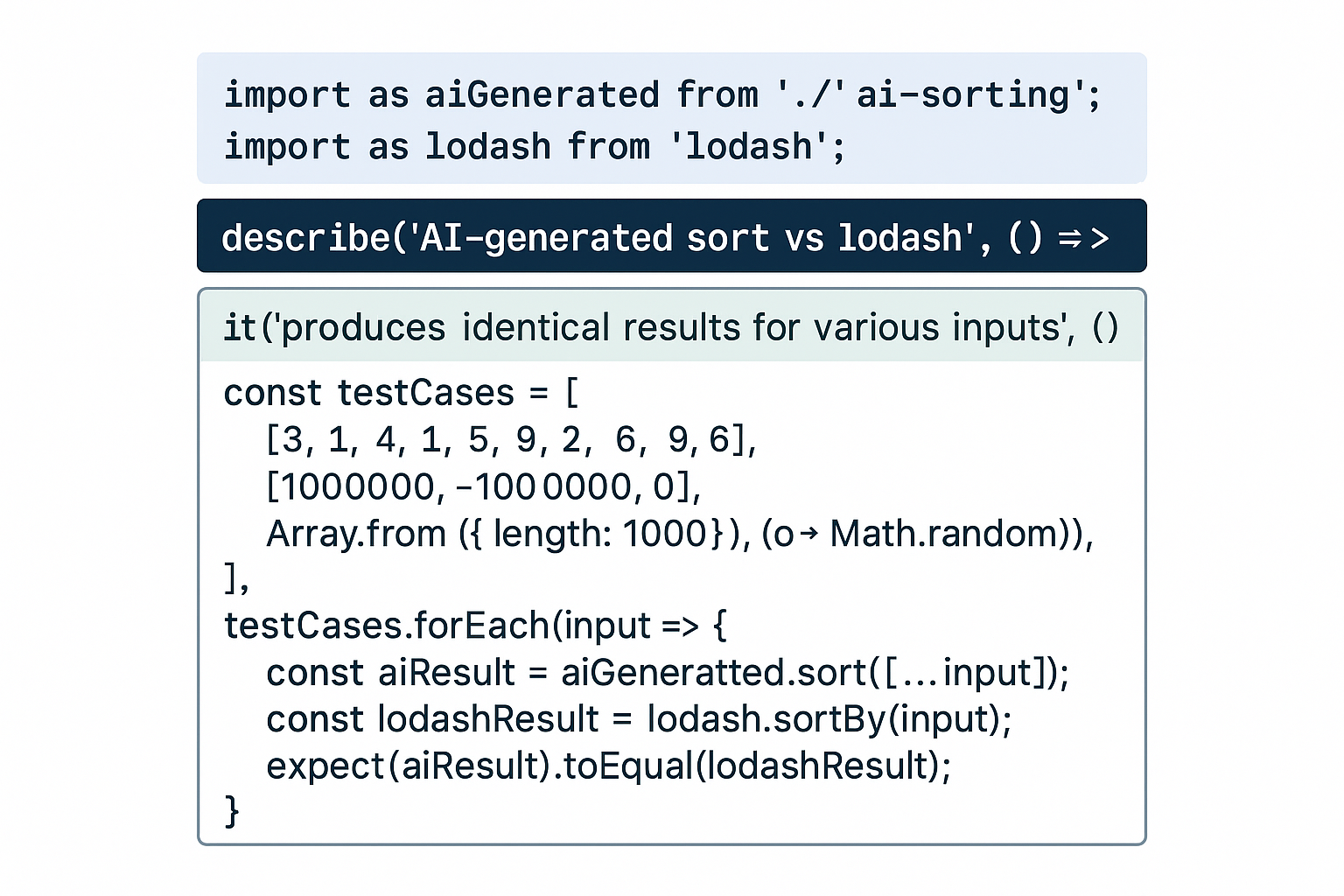
View original ASCII
import * as aiGenerated from './ai-sorting'; import * as lodash from 'lodash';describe('AI-generated sort vs lodash', () => { it('produces identical results for various inputs', () => { const testCases = [ [3, 1, 4, 1, 5, 9, 2, 6], [1000000, -1000000, 0], Array.from({ length: 1000 }, () => Math.random()), ];
testCases.forEach(input => { const aiResult = aiGenerated.sort([...input]); const lodashResult = lodash.sortBy(input); expect(aiResult).toEqual(lodashResult); });}); });
3. Invariant Checking in Production
For critical AI-generated code, add runtime assertions that verify invariants:
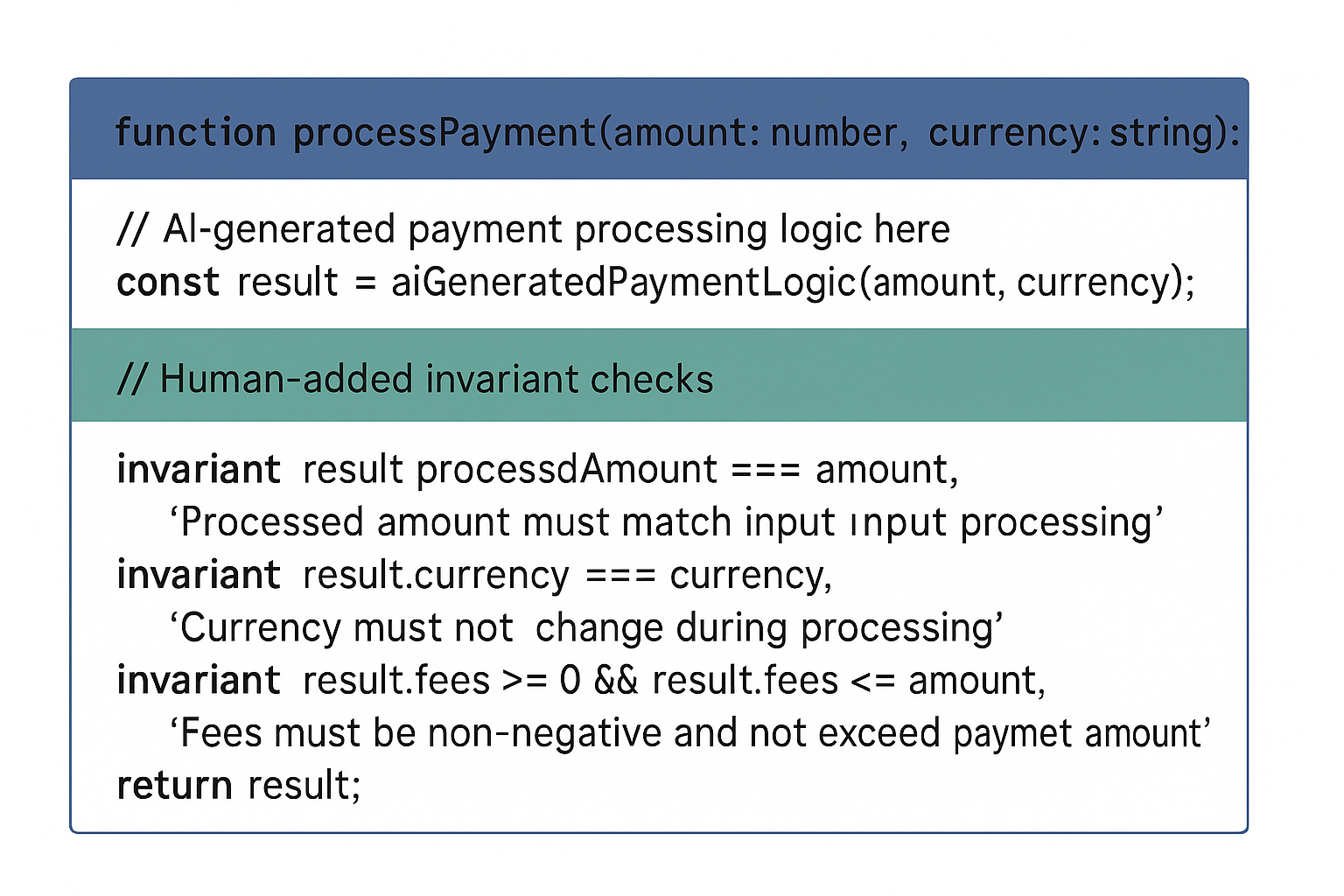
View original ASCII
function processPayment(amount: number, currency: string): PaymentResult {
  // AI-generated payment processing logic here
  const result = aiGeneratedPaymentLogic(amount, currency);

  // Human-added invariant checks
  invariant(
    result.processedAmount === amount,
    'Processed amount must match input amount'
  );
  invariant(
    result.currency === currency,
    'Currency must not change during processing'
  );
  invariant(
    result.fees >= 0 && result.fees <= amount,
    'Fees must be non-negative and not exceed payment amount'
  );

  return result;
}
💡 Pro Tip: Enable these invariant checks in development and staging, then use feature flags to run them on a sample of production traffic for additional validation.
Real-World Workflow: A Day in the Life
Let's synthesize these patterns into a realistic workday scenario:
9:00 AM: Sprint planning assigns you a story: "Implement rate limiting for API endpoints"
9:15 AM: Before touching AI, you research the domain—token bucket vs leaky bucket, library options (express-rate-limit, rate-limiter-flexible), team coding standards
9:45 AM: Craft detailed prompt including context: Express.js, Redis for distributed state, need both IP-based and user-based limiting
10:00 AM: AI generates initial middleware implementation. You immediately spot issues: no Redis connection error handling, hardcoded limits, missing TypeScript types
10:15 AM: Iterative refinement with targeted prompts: "Add Redis connection retry logic with circuit breaker", "Extract rate limit configuration to environment variables", "Add comprehensive JSDoc"
10:45 AM: Code looks good structurally. Apply security review checklist. Find potential DoS vector: attacker could exhaust Redis connections by rapidly changing IPs
11:00 AM: Add connection pooling and request validation
11:30 AM: Write tests—AI generates basic test structure, you add critical edge cases: Redis connection failure, key expiration edge cases, concurrent request handling
12:00 PM: All tests pass. Create spike/ai-rate-limiter branch, commit with clear attribution
2:00 PM: Code review with team. Senior dev catches subtle issue: race condition in Redis GET-SET pattern. Replace with Lua script for atomic operation (prompted AI for Lua script, reviewed carefully)
3:00 PM: Performance testing reveals AI-generated solution makes a Redis call per request. Optimize with local cache + Redis for distributed state
4:00 PM: Final review, update documentation, merge to feature branch
Result: What might have taken 2-3 days of research and implementation took 6 hours—but only because you maintained critical thinking throughout.
Building Your Personal AI-Assisted Workflow
Every developer will refine their own patterns for AI collaboration. Here's a framework for developing yours:
Week 1-2: Calibration Phase
- Generate code for problems you've solved before
- Compare AI output to your previous solutions
- Build intuition for where AI excels and struggles
- Document patterns you notice in AI mistakes
Week 3-4: Structured Integration
- Use AI for boilerplate and scaffolding only
- Review everything line-by-line
- Build your review checklist based on issues you find
- Track time saved vs time spent reviewing
Month 2-3: Advanced Techniques
- Experiment with prompt chaining
- Use AI for test generation
- Try differential testing approaches
- Develop domain-specific prompt templates
Month 4+: Mature Practice
- You instinctively know what to ask AI and what to write yourself
- Your prompts are precise and context-rich
- Review is systematic and efficient
- AI is seamlessly integrated into your workflow
🎯 Key Principle: Your AI workflow should be deliberate, not default. Consciously choose when to use AI, what to ask it, and how to validate its output.
The patterns in this section transform AI from a mysterious black box into a reliable tool. But tools can be misused—and AI code generation has specific failure modes that can derail projects and careers. The next section examines what goes wrong when developers over-rely on AI, so you can avoid these critical pitfalls.
💡 Remember: These patterns aren't about working faster—they're about working better. AI should elevate your code quality, not just increase velocity. A well-reviewed AI-generated function is better than a hastily-written human one, and a thoughtfully-crafted human function is better than uncritically accepted AI output.
Critical Pitfalls: What Goes Wrong When Developers Over-Rely on AI
When AI code generation first becomes available to developers, the experience can feel almost magical. You describe what you want, and working code appears before your eyes. But this magic comes with hidden costs that only reveal themselves later—sometimes much later, when systems are in production and the original developer has moved on. Understanding these pitfalls isn't about fear-mongering; it's about developing the critical awareness that separates thriving AI-augmented developers from those who become victims of their tools.
Let's examine the real consequences of over-reliance on AI code generation through the lens of actual problems that are emerging as these tools become ubiquitous.
The Copy-Paste Without Understanding Trap
The most insidious pitfall in AI-assisted development is what we might call blind integration—accepting and deploying AI-generated code without truly understanding what it does or why it works. This isn't laziness; it's a natural human response to cognitive overload. When an AI generates fifty lines of complex code that appears to solve your problem, the temptation to simply accept it and move on is overwhelming.
Consider this scenario: A developer needs to implement user authentication and asks an AI tool to generate the necessary code. The AI produces this:
import hashlib
import os

def hash_password(password):
    # Generate a salt and hash the password
    salt = os.urandom(32)
    pwdhash = hashlib.pbkdf2_hmac('sha256',
                                   password.encode('utf-8'),
                                   salt,
                                   100000)
    return salt + pwdhash

def verify_password(stored_password, provided_password):
    # Extract the salt from stored password
    salt = stored_password[:32]
    stored_hash = stored_password[32:]

    # Hash the provided password with the same salt
    pwdhash = hashlib.pbkdf2_hmac('sha256',
                                   provided_password.encode('utf-8'),
                                   salt,
                                   100000)

    return pwdhash == stored_hash
At first glance, this looks reasonable. It uses PBKDF2, includes salting, and appears secure. A developer who doesn't understand cryptography might integrate this immediately. But without understanding, they miss critical questions:
🎯 Key Principle: Code that works correctly is not the same as code that works correctly in your context.
What's missing from this implementation?
- No constant-time comparison in
verify_password(vulnerable to timing attacks) - No versioning system for the hashing algorithm (what happens when you need to upgrade?)
- No handling of edge cases (empty passwords, extremely long passwords)
- The iteration count (100,000) might be too low for current security standards
- No consideration of encoding issues across different systems
The developer who copies this without understanding won't know to ask these questions. Six months later, a security audit reveals the timing attack vulnerability. The fix requires a database migration affecting millions of user records. The technical debt compounds: the quick win becomes an expensive lesson.
⚠️ Common Mistake: Developers often confuse "the code runs without errors" with "the code is correct." AI-generated code is particularly good at the former while potentially failing at the latter. ⚠️
💡 Real-World Example: A fintech startup used AI to generate their payment processing code. The code worked perfectly in testing with small amounts. In production, they discovered it used floating-point arithmetic for currency calculations, leading to rounding errors that cost them thousands of dollars before detection. The AI had generated "working" code, but a developer who understood financial calculations would never have used float for money.
Security Vulnerabilities: The Hidden Attack Surface
AI models are trained on vast repositories of public code, and unfortunately, much of that code contains security vulnerabilities. The AI learns patterns from this code—including insecure patterns. When you ask an AI to solve a problem, it might suggest a solution based on the most common patterns it has seen, not the most secure ones.
Injection vulnerabilities are particularly common in AI-generated code because simple string concatenation is such a prevalent pattern in training data:
// AI-generated code for a simple database query
function getUserByEmail(email) {
    const query = "SELECT * FROM users WHERE email = '" + email + "'";
    return database.execute(query);
}

// Looks clean, works perfectly... and is catastrophically insecure
// An attacker can input: ' OR '1'='1
// Resulting query: SELECT * FROM users WHERE email = '' OR '1'='1'
// This returns ALL users in the database
This is SQL injection in its most classic form. Every security-aware developer knows to use parameterized queries, but AI models generate this pattern because it appears so frequently in their training data. A developer who doesn't understand SQL injection might see this code work correctly with normal inputs and assume it's fine.
The secure version:
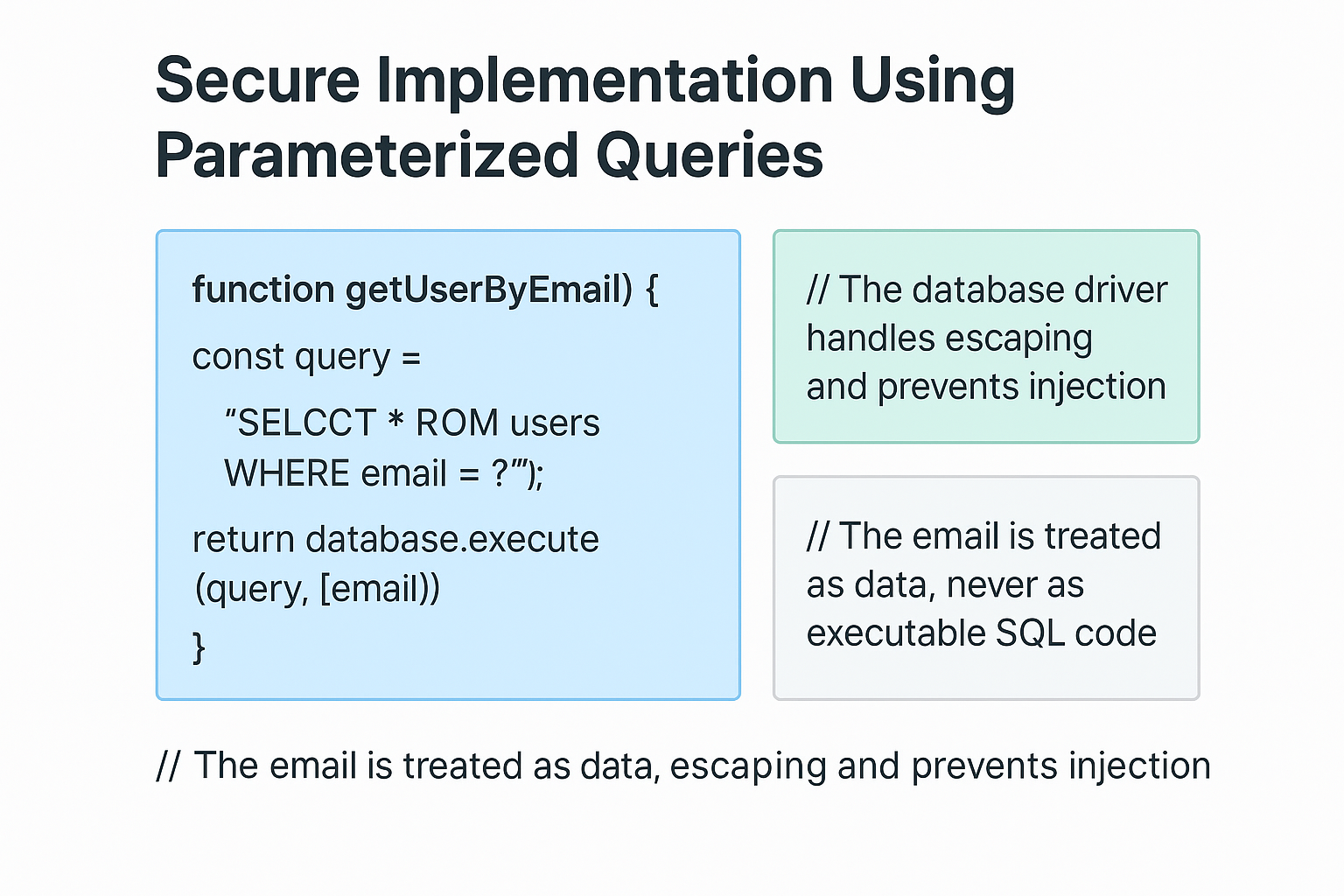
View original ASCII
// Secure implementation using parameterized queries
function getUserByEmail(email) {
    const query = "SELECT * FROM users WHERE email = ?";
    return database.execute(query, [email]);
}
// The database driver handles escaping and prevents injection
// The email is treated as data, never as executable SQL code
🔒 Security vulnerabilities commonly introduced by AI code include:
- SQL/NoSQL injection through string concatenation
- Cross-Site Scripting (XSS) from unescaped user input
- Hardcoded credentials in example code
- Insecure random number generation for security-critical operations
- Insufficient input validation and sanitization
- Race conditions in concurrent code
- Insecure deserialization of user-controlled data
⚠️ Common Mistake: Assuming that because AI-generated code comes from a sophisticated system, it must incorporate security best practices. AI models don't "know" about security—they only know about patterns in their training data. ⚠️
Performance and Scalability: The Silent System Killer
AI code generators optimize for correctness and readability, not performance. They tend to produce code that works for small-scale scenarios because that's what most example code in their training data demonstrates. The performance implications only become apparent when you scale up.
Consider this AI-generated code for finding common elements between arrays:
def find_common_elements(list1, list2):
    """Find elements that appear in both lists"""
    common = []
    for item in list1:
        if item in list2:  # This is O(n) for each iteration
            if item not in common:  # This is also O(n)
                common.append(item)
    return common

# Time complexity: O(n * m * c) where:
# n = length of list1
# m = length of list2
# c = length of common (growing over time)

# For small lists: works fine
list_a = [1, 2, 3, 4, 5]
list_b = [4, 5, 6, 7, 8]
result = find_common_elements(list_a, list_b)  # Fast enough

# For large lists: disaster
big_list_a = range(10000)
big_list_b = range(5000, 15000)
result = find_common_elements(big_list_a, big_list_b)  # Extremely slow
This code is correct—it produces the right answer. But it's algorithmically naive. A developer who understands time complexity would immediately see the nested loops and recognize the performance problem. The AI simply generated a pattern that "finds common elements" based on simple, readable examples.
The optimized version:
def find_common_elements(list1, list2):
    """Find elements that appear in both lists - optimized"""
    # Convert to sets: O(n + m)
    set1 = set(list1)
    set2 = set(list2)

    # Set intersection: O(min(n, m))
    return list(set1 & set2)

# Time complexity: O(n + m)
# This scales linearly instead of quadratically
🤔 Did you know? In one documented case, a company's API response times increased from 200ms to 45 seconds after deploying AI-generated code that worked perfectly in development. The AI had used nested loops where the developer had only tested with 10 items, but production had thousands.
Common performance pitfalls in AI-generated code:
- N+1 query problems in database access
- Unnecessary data copying instead of references
- Synchronous operations where async would be appropriate
- Inefficient algorithms (bubble sort instead of quicksort)
- Missing caching for expensive operations
- Redundant computations inside loops
- Memory leaks from unclosed resources
💡 Mental Model: Think of AI-generated code as a solution for the "average case" in the training data. Real-world production systems often have edge cases and scale requirements that don't match the average case.
Technical Debt: The Compounding Interest of Bad Patterns
One of the most damaging aspects of over-relying on AI code generation is the accumulation of technical debt through unmaintainable patterns. AI-generated code tends to be verbose, redundant, and lacking in abstraction because it's optimized for immediate clarity, not long-term maintenance.
Imagine a developer building a web application and using AI to generate code for each new feature. For user registration:
// AI-generated user registration
function registerUser(username, email, password) {
    // Validate username
    if (!username || username.length < 3) {
        return { error: "Username must be at least 3 characters" };
    }
    if (!/^[a-zA-Z0-9_]+$/.test(username)) {
        return { error: "Username can only contain letters, numbers, and underscores" };
    }

    // Validate email
    if (!email || !email.includes('@')) {
        return { error: "Invalid email address" };
    }

    // Validate password
    if (!password || password.length < 8) {
        return { error: "Password must be at least 8 characters" };
    }

    // Hash password and save...
}
Then for updating user profile:
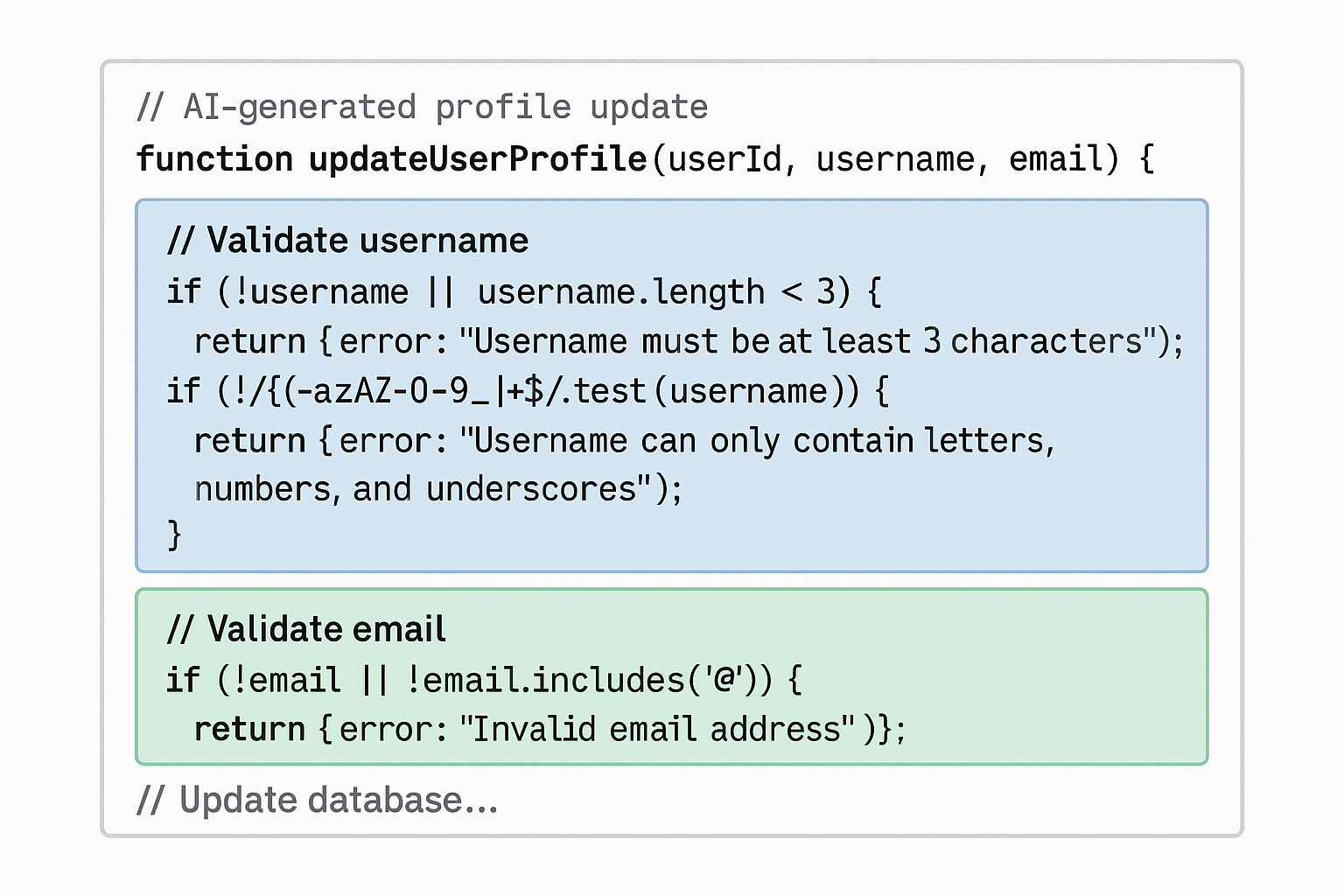
View original ASCII
// AI-generated profile update (separate request)
function updateUserProfile(userId, username, email) {
    // Validate username
    if (!username || username.length < 3) {
        return { error: "Username must be at least 3 characters" };
    }
    if (!/^[a-zA-Z0-9_]+$/.test(username)) {
        return { error: "Username can only contain letters, numbers, and underscores" };
    }

    // Validate email
    if (!email || !email.includes('@')) {
        return { error: "Invalid email address" };
    }

    // Update database...
}
Notice the problem? The validation logic is duplicated. The AI generated both functions independently, each with its own copy of the validation rules. Now imagine this pattern repeated across 50 features. When you need to update the email validation regex to be more sophisticated, you have to find and update it in 50 places. This is massive technical debt.
A developer who understands software design principles would extract the validation into reusable functions:
// Properly abstracted validation
const validators = {
    username: (value) => {
        if (!value || value.length < 3) {
            return "Username must be at least 3 characters";
        }
        if (!/^[a-zA-Z0-9_]+$/.test(value)) {
            return "Username can only contain letters, numbers, and underscores";
        }
        return null; // Valid
    },

    email: (value) => {
        if (!value || !value.includes('@')) {
            return "Invalid email address";
        }
        return null;
    },

    password: (value) => {
        if (!value || value.length < 8) {
            return "Password must be at least 8 characters";
        }
        return null;
    }
};

function validate(data, rules) {
    for (const [field, validator] of Object.entries(rules)) {
        const error = validator(data[field]);
        if (error) return { error };
    }
    return { valid: true };
}

// Now both functions use shared validation
function registerUser(username, email, password) {
    const result = validate(
        { username, email, password },
        { username: validators.username,
          email: validators.email,
          password: validators.password }
    );
    if (result.error) return result;
    // Proceed with registration...
}
Technical debt patterns from AI-generated code:
| Pattern 🏗️ | Consequence 💥 | Why It Happens 🤖 |
|---|---|---|
| 🔄 Code duplication | Changes must be made in multiple places, increasing bug risk | AI treats each prompt independently |
| 📦 Missing abstractions | No reusable components, everything is bespoke | AI optimizes for immediate solution, not architecture |
| 🎯 Inconsistent patterns | Different approaches to same problems | Each generation may use different patterns |
| 📝 Over-commenting | Obvious code has excessive comments | AI adds explanatory comments for clarity |
| 🔧 Hard-coded values | Configuration mixed with logic | AI uses concrete examples from training data |
| 🌊 Deep nesting | Code becomes difficult to follow | AI doesn't refactor for simplification |
⚠️ Common Mistake: Treating each AI generation as an isolated task rather than part of a cohesive system architecture. This leads to a Frankenstein codebase where each piece works individually but the whole is unmaintainable. ⚠️
Loss of Fundamental Skills: The Atrophy Effect
Perhaps the most concerning long-term consequence of over-relying on AI code generation is what we might call skill atrophy—the gradual erosion of fundamental programming abilities that occurs when developers consistently outsource thinking to AI.
This happens through a insidious feedback loop:
Developer encounters a problem
        |
        v
Asks AI to solve it
        |
        v
AI provides solution
        |
        v
Developer uses solution without deep engagement
        |
        v
Skill doesn't develop (or degrades)
        |
        v
Next similar problem feels harder to solve manually
        |
        v
Even more likely to rely on AI
        |
        v
[Cycle repeats, dependency deepens]
Critical skills at risk:
🧠 Algorithmic thinking: When AI always provides the algorithm, developers stop practicing the mental process of breaking problems down into steps. The muscle of computational thinking atrophies.
🔍 Debugging skills: AI-generated code that "works" discourages deep investigation into why it works. Developers lose practice in tracing execution, understanding state changes, and building mental models of program behavior.
🏗️ System design: Relying on AI for individual functions prevents developers from learning to think about overall architecture, data flow, and component interaction.
📚 API and language knowledge: When AI handles all the syntax and library calls, developers don't internalize the standard library, common patterns, or language idioms.
🎯 Problem decomposition: AI encourages treating problems as monolithic "generate a solution" requests rather than decomposing them into understandable sub-problems.
💡 Real-World Example: A developer who had been using AI copilot tools exclusively for six months was asked in an interview to implement a simple linked list. Despite two years of prior experience, they struggled significantly—not because they had forgotten, but because they had stopped practicing the fundamental act of translating concepts into code.
❌ Wrong thinking: "I don't need to learn this deeply because AI can handle it."
✅ Correct thinking: "I need to understand this deeply so I can effectively evaluate what AI generates and know when it's wrong."
The paradox is that effective use of AI code generation requires stronger fundamental skills, not weaker ones. You need to understand code deeply to:
- Recognize when AI suggestions are incorrect or suboptimal
- Craft prompts that lead to better solutions
- Integrate AI-generated code into a coherent system
- Debug problems that span AI-generated and human-written code
- Make architectural decisions that AI cannot make
The Cascade Effect: When Multiple Pitfalls Combine
The real danger emerges when these pitfalls combine. Consider this realistic scenario:
Day 1: Developer uses AI to generate a database access layer without fully understanding it. (Copy-paste trap)
Week 2: The code works fine in development with 100 test records. (Performance issues hidden)
Month 1: More features are added, each with AI-generated code following slightly different patterns. (Technical debt accumulating)
Month 3: A security researcher discovers SQL injection vulnerabilities in the data layer. (Security vulnerability discovered)
Month 4: Fixing the security issues requires understanding the entire data access pattern, but the original developer never learned it deeply and has now moved to another project. (Skill atrophy consequences)
Month 5: The new developer attempts to refactor but discovers the validation logic is duplicated across 40 files, each slightly different. (Technical debt compounds)
Month 6: Performance issues emerge in production. The inefficient patterns that worked fine with test data cause timeout errors with real user load. (Scalability problems)
Month 7: Management estimates a complete rewrite will take 3 months. The "fast" AI-generated solution has created a maintenance nightmare costing far more than writing it properly would have.
This cascade is not theoretical. It's happening in organizations worldwide as AI code generation becomes widespread.
Building Immunity: Recognition and Response
The solution to these pitfalls is not to avoid AI code generation—that ship has sailed. Instead, developers must build critical awareness and defensive practices:
🛡️ Recognition patterns - Learn to spot warning signs:
- AI-generated code that's longer than you expected (often indicates verbose, unoptimized approaches)
- Solutions that work immediately without any modification (might be too simple for your actual requirements)
- Code with patterns you don't recognize (requires research before integration)
- Validation or error handling that seems incomplete (AI often generates "happy path" code)
🔧 Response practices - Develop habits that catch problems early:
- Always read and understand AI-generated code before using it
- Test with realistic data volumes, not just minimal test cases
- Run security scanning tools on AI-generated code
- Refactor AI code to match your existing patterns and architecture
- Treat AI suggestions as first drafts, not final solutions
- Maintain a personal knowledge base of why certain approaches are correct
🎯 Key Principle: The developer who can effectively use AI is not the one who blindly accepts all suggestions, but the one who can critically evaluate, modify, and integrate AI output into a well-designed system.
💡 Pro Tip: Create a personal checklist for every AI-generated code block you integrate:
📋 Quick Reference Card: AI Code Integration Checklist
| Check ✓ | Question 🤔 | Why It Matters 🎯 |
|---|---|---|
| ⬜ | Do I understand every line? | Prevents blind integration |
| ⬜ | Are there security implications? | Catches injection vulnerabilities |
| ⬜ | How does this scale? | Identifies performance issues |
| ⬜ | Does this match our patterns? | Prevents technical debt |
| ⬜ | What are the edge cases? | Ensures robustness |
| ⬜ | Could I write this myself? | Maintains skill development |
| ⬜ | Is this properly abstracted? | Supports maintainability |
| ⬜ | Have I tested with real data? | Validates actual behavior |
The Path Forward: Informed AI Usage
Understanding these pitfalls doesn't mean rejecting AI code generation. It means using it with eyes wide open. The developers who will thrive in the AI era are those who:
- Maintain strong fundamentals while leveraging AI for acceleration
- Question AI output as rigorously as they would a junior developer's code
- Understand the 'why' behind code, not just the 'what'
- Architect systems that AI helps build but doesn't design
- Continuously learn rather than outsourcing learning to AI
The goal is to become an AI-augmented expert, not an AI-dependent novice. Your value as a developer in the AI era comes not from writing more code faster, but from making better decisions about what code should exist and ensuring that the code—whether human or AI-generated—serves the actual needs of the system.
Every pitfall we've examined comes down to the same root cause: abdicating judgment. When you let AI make decisions that require human expertise—about security, about architecture, about trade-offs—you've crossed from using a tool to being used by it. The developers who succeed will be those who wield AI as a powerful amplifier of their own expertise, not a replacement for it.
🧠 Mnemonic for AI Code Review: S.C.A.L.E.
- Security: Are there injection risks or vulnerabilities?
- Complexity: Is the algorithm efficient for real-world scale?
- Architecture: Does it fit our system design and patterns?
- Logic: Do I understand why this works?
- Edge cases: What happens with unusual inputs?
The next time you're tempted to copy-paste AI-generated code without review, remember: every shortcut you take now is technical debt you'll pay later—with interest.
Key Takeaways: Your AI-Era Developer Survival Kit
You've journeyed through the landscape of AI-augmented development, from understanding how these tools work to recognizing their critical pitfalls. Now it's time to synthesize everything into a practical survival kit—a collection of mindsets, skills, and practices that will keep you not just employed, but thriving as AI code generation becomes ubiquitous.
Think of this section as your quick-reference guide, the mental framework you'll return to whenever you're working with AI-generated code. These aren't theoretical concepts; they're battle-tested principles that separate developers who use AI as a force multiplier from those who become dependent on tools they don't understand.
The Fundamental Balance: Speed vs. Quality
🎯 Key Principle: AI code generation is a velocity amplifier, not a quality guarantor.
The core tension in AI-augmented development is deceptively simple: AI can write code faster than any human, but speed without understanding creates technical debt at an unprecedented scale. Your primary job is to maintain this balance.
❌ Wrong thinking: "AI wrote this code in 2 seconds, so reviewing it thoroughly would waste the time savings."
✅ Correct thinking: "AI gave me a 2-second first draft. Now I'll invest the time I saved into deeper architectural thinking and thorough validation."
Consider this ASCII representation of how time should be allocated:
Traditional Development:
[Writing Code: 60%][Debugging: 25%][Design: 15%]

AI-Augmented Development (Done Right):
[Writing Code: 20%][Validation: 30%][Design: 35%][Integration: 15%]

AI-Augmented Development (Done Wrong):
[Writing Code: 10%][Rushing to Production: 10%][Fighting Bugs: 80%]
Notice how AI-augmented development done correctly reallocates time toward higher-value activities—architectural design, security validation, and thoughtful integration—rather than simply reducing total effort.
💡 Mental Model: Think of AI code generation like industrial food production. McDonald's can produce a burger in 90 seconds, but a chef at a Michelin-starred restaurant still needs hours. Both have their place. AI gives you the McDonald's burger instantly—fast, consistent, generally safe. Your job is knowing when that's sufficient and when you need to be the chef who understands every ingredient.
Irreplaceable Core Competencies
As AI tools evolve, certain skills become more valuable, not less. These are your career insurance policies—the competencies that ensure you remain essential even as AI capabilities expand.
1. System Design and Architecture
AI excels at generating individual functions or components but struggles with holistic system architecture. Understanding how pieces fit together, anticipating scaling challenges, and making principled trade-offs between competing architectural approaches remain deeply human skills.
💡 Real-World Example: An AI can generate a REST API endpoint perfectly. It cannot tell you whether your system should use REST, GraphQL, gRPC, or event-driven architecture based on your specific scalability requirements, team expertise, and long-term maintenance considerations.
2. Problem Decomposition
Before AI can generate code, someone needs to break down complex business problems into solvable technical components. This problem decomposition skill—understanding what to build before worrying about how to build it—is where experienced developers add massive value.
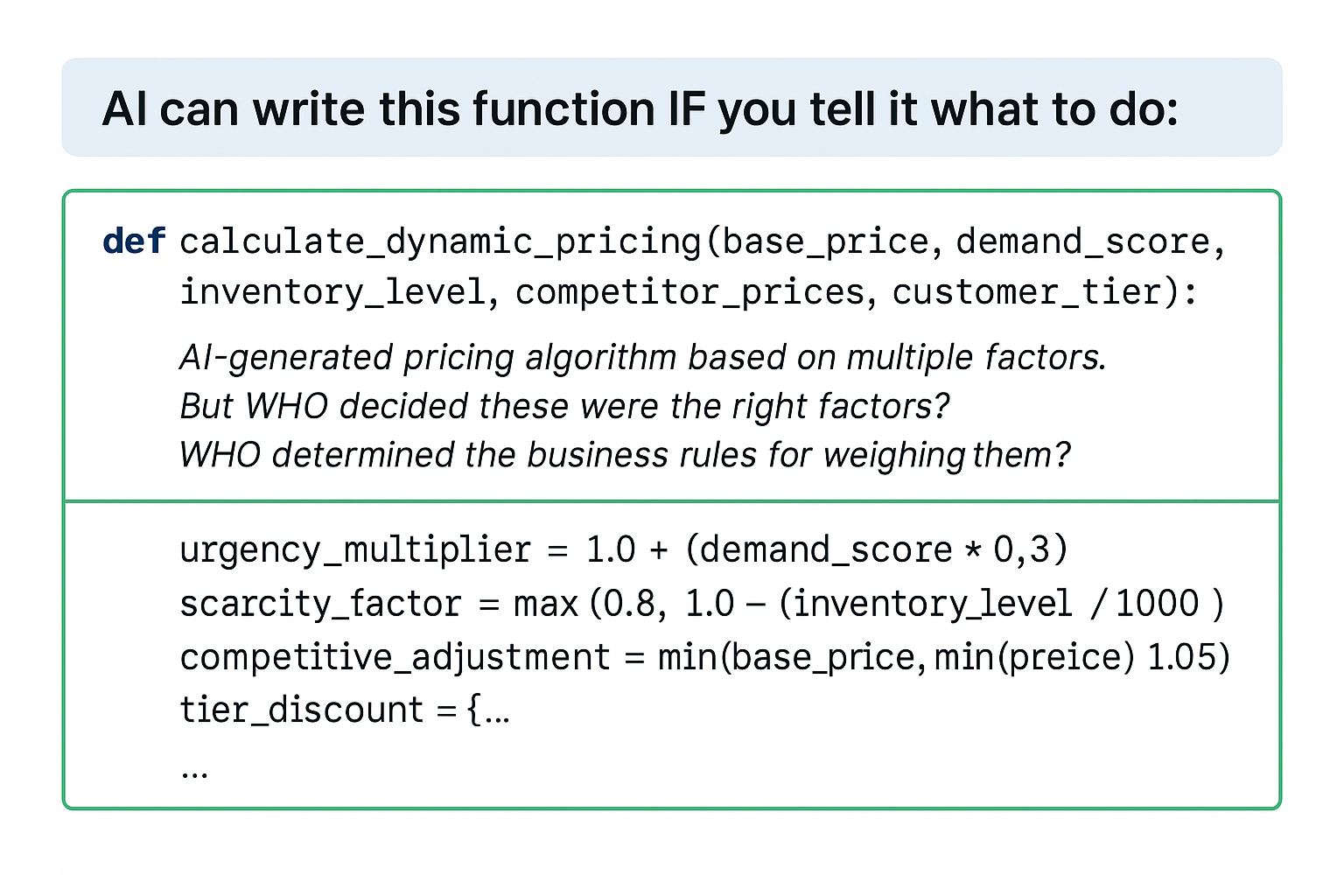
View original ASCII
# AI can write this function IF you tell it what to do:
def calculate_dynamic_pricing(base_price, demand_score, inventory_level,
                              competitor_prices, customer_tier):
    """
    AI-generated pricing algorithm based on multiple factors.
    But WHO decided these were the right factors?
    WHO determined the business rules for weighing them?
    """
    urgency_multiplier = 1.0 + (demand_score * 0.3)
    scarcity_factor = max(0.8, 1.0 - (inventory_level / 1000) * 0.2)
    competitive_adjustment = min(base_price, min(competitor_prices) * 1.05)
    tier_discount = {"bronze": 1.0, "silver": 0.95, "gold": 0.90}[customer_tier]

    return competitive_adjustment * urgency_multiplier * scarcity_factor * tier_discount
The VALUE is in knowing:
- That dynamic pricing is the right solution
- Which factors matter for YOUR business
- How to balance them ethically and legally
- What edge cases need handling
The code itself is almost trivial. The judgment required to specify what the code should do is where human expertise matters.
3. Code Reading and Comprehension
Paradoxically, as AI writes more code, the ability to rapidly read and understand unfamiliar code becomes more critical. You'll spend less time writing from scratch and more time evaluating, modifying, and integrating code from various sources.
4. Security and Privacy Awareness
AI models are trained on public code repositories, which means they've learned from millions of security vulnerabilities. They'll happily regenerate SQL injection vulnerabilities, hardcoded credentials, and authentication bypasses because these patterns exist in their training data.
🔒 Security-First Mindset: Every AI-generated code block should trigger automatic security questions:
- Does this handle user input safely?
- Are there injection vulnerabilities?
- Does this expose sensitive data?
- Are authentication and authorization properly implemented?
- Does this comply with relevant regulations (GDPR, HIPAA, etc.)?
5. Testing and Validation Expertise
AI can generate tests, but knowing what to test and understanding test quality requires human judgment. A test suite with 100% coverage that only tests happy paths is worse than useless—it provides false confidence.
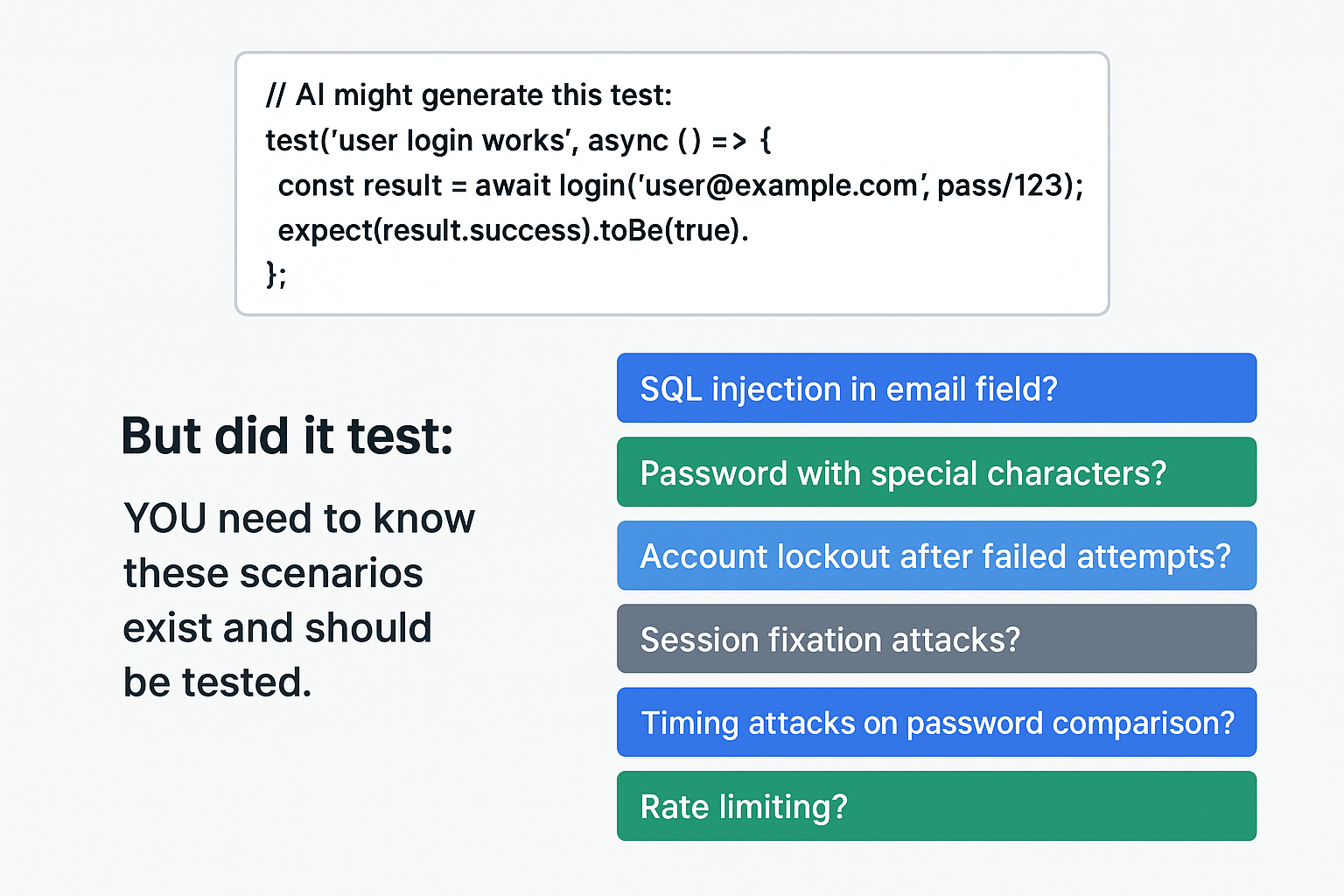
View original ASCII
// AI might generate this test:
test('user login works', async () => {
  const result = await login('user@example.com', 'password123');
  expect(result.success).toBe(true);
});
// But did it test:
// - SQL injection in email field?
// - Password with special characters?
// - Account lockout after failed attempts?
// - Session fixation attacks?
// - Timing attacks on password comparison?
// - Rate limiting?
// YOU need to know these scenarios exist and should be tested.
Quick Reference: AI-Generated Code Evaluation Checklist
📋 Quick Reference Card: Use this checklist for every significant AI-generated code snippet before integration.
| Category | Check | Pass/Fail |
|---|---|---|
| 🎯 Correctness | Does it solve the actual problem? | ☐ |
| Does it handle edge cases? | ☐ | |
| Are there logical errors? | ☐ | |
| 🔒 Security | Are inputs validated/sanitized? | ☐ |
| No hardcoded secrets? | ☐ | |
| Auth/authz properly implemented? | ☐ | |
| No common vulnerability patterns? | ☐ | |
| ⚡ Performance | Appropriate algorithm complexity? | ☐ |
| No obvious bottlenecks? | ☐ | |
| Resource usage reasonable? | ☐ | |
| 🧩 Integration | Matches existing code style? | ☐ |
| Uses project conventions? | ☐ | |
| Dependencies appropriate? | ☐ | |
| 📚 Maintainability | Code is readable? | ☐ |
| Appropriate comments? | ☐ | |
| Testable design? | ☐ | |
| 🧪 Testing | Unit tests included? | ☐ |
| Tests cover edge cases? | ☐ | |
| Tests are meaningful? | ☐ |
⚠️ Critical Rule: If any security or correctness items fail, the code gets rejected immediately, no exceptions.
💡 Pro Tip: Print this checklist and keep it visible at your workspace for the first few months. The evaluation process needs to become automatic, but initially, you'll need the reminder to check every category systematically.
Continuous Learning Strategies for the AI Era
The half-life of specific technical knowledge is shrinking. The React patterns you learned last year might be obsolete; the AI tool you mastered last month just released a game-changing update. Your learning strategy needs to evolve.
Focus on Fundamentals, Not Frameworks
🧠 Mental Model: Learn the alphabet, not individual words.
Timeless knowledge areas that provide compounding returns:
🧠 Computer Science Fundamentals
- Data structures and algorithms
- Complexity analysis (Big O notation)
- Memory management and optimization
- Concurrency and parallelism principles
📚 Software Engineering Principles
- SOLID principles
- Design patterns (not memorizing implementations, but understanding problems they solve)
- System design patterns (caching, load balancing, sharding)
- API design principles
🔧 Development Practices
- Testing strategies (unit, integration, end-to-end)
- Debugging methodologies
- Code review best practices
- Performance profiling
🎯 Domain Knowledge
- Security principles and common vulnerabilities
- Database theory and query optimization
- Network protocols and web architecture
- Your specific business domain (fintech, healthcare, e-commerce, etc.)
🤔 Did you know? Studies show that developers with strong CS fundamentals learn new frameworks 3-4x faster than those who jump directly to framework-specific knowledge. When AI generates code using a pattern you understand deeply, you can evaluate it in seconds. When it uses unfamiliar patterns, you're dependent on the AI's judgment.
Deliberate Practice with AI-Generated Code
Don't just use AI passively. Deliberately practice the evaluation and improvement skills:
Daily Practice Routine:
Morning: Generate & Critique (15 minutes)
- Ask AI to solve a coding problem
- Before running the code, identify potential issues
- Run it and see if your predictions were correct
- Analyze what you missed
Midday: Refactoring Exercise (20 minutes)
- Take AI-generated code that works
- Improve it: better naming, clearer structure, added tests
- Compare your version to what AI generates when asked to refactor
Evening: Deep Dive (30 minutes)
- Pick one line of AI-generated code you didn't fully understand
- Research the underlying concept thoroughly
- Explain it to yourself or write a brief note
💡 Pro Tip: Keep a "learning journal" where you document interesting patterns AI generates, mistakes you caught, and concepts you needed to research. Review it monthly to see your progress and identify knowledge gaps.
Stay Current with AI Tool Evolution
AI coding tools are evolving rapidly. Your strategy should include:
✅ Monthly: Try one new AI coding tool or feature
✅ Quarterly: Reassess your primary tools (are better alternatives available?)
✅ Bi-annually: Deep dive into how these tools actually work (new papers, technical blogs)
But avoid "shiny object syndrome"—constantly switching tools without mastering any. Pick 2-3 AI tools that cover different use cases and become expert at leveraging them.
The Mindset Shifts That Matter
Beyond skills, succeeding with AI-augmented development requires fundamental mindset changes:
From "Writing Code" to "Achieving Outcomes"
Old mindset: "I need to write a sorting algorithm."
New mindset: "I need to solve this data ordering problem. Should I use a standard library, generate custom code with AI, or rethink the problem to avoid sorting entirely?"
Your value is in problem-solving and judgment, not code production. AI makes code essentially free; your scarce resource is understanding which code should exist.
From "I Know Everything" to "I Know What Matters"
⚠️ Common Mistake: Trying to memorize syntax for every language and framework. ⚠️
You don't need to remember syntax anymore—AI handles that. You need to:
- Know what's possible across languages and ecosystems
- Understand trade-offs between approaches
- Recognize when code is wrong or suboptimal
- Know what questions to ask
From "Protecting My Code" to "Protecting My Judgment"
🧠 Mnemonic: C.A.R.E. for your judgment
- Challenge AI suggestions (don't accept blindly)
- Analyze trade-offs (understand implications)
- Review with security-first mindset
- Evaluate against business requirements
Your code will be replaced by AI-generated alternatives. Your judgment about what code should do, whether it's correct, and how it fits into larger systems is what makes you valuable.
Understanding AI Limitations (Preview)
As you move forward with AI-augmented development, keep these fundamental AI limitations in mind:
Pattern Recognition, Not Reasoning: AI doesn't "understand" code; it predicts likely next tokens based on patterns. This means:
# AI might generate this confidently:
def calculate_average(numbers):
    return sum(numbers) / len(numbers)

# But fail to consider:
# - What if numbers is empty? (ZeroDivisionError)
# - What if numbers contains None? (TypeError)
# - What if numbers is extremely large? (memory issues)
# - What if numbers contains floats? (precision issues)

# Better version requiring HUMAN judgment:
def calculate_average(numbers):
    if not numbers:
        return 0.0  # or raise ValueError? Business decision!
    filtered = [n for n in numbers if n is not None]
    if not filtered:
        return 0.0
    return sum(filtered) / len(filtered)
No Business Context: AI doesn't know your specific requirements, constraints, or edge cases unless explicitly told. It generates generic solutions that may be completely wrong for your context.
Trained on Public Code (Bugs Included): AI learned from millions of code repositories, including countless bugs, security vulnerabilities, and anti-patterns. It will confidently reproduce them.
No Accountability: When AI-generated code causes a production outage, security breach, or data loss, you're responsible, not the AI tool.
Emerging Coding Patterns (Preview)
New patterns are emerging specifically for AI-augmented development:
Prompt-Driven Development: Writing detailed comments or specifications that guide AI toward correct implementations, then validating the results.
Layered Validation: Multiple passes of increasingly rigorous review (automated tests → manual code review → security scan → integration testing).
Human-in-the-Loop Refinement: Iterative collaboration where AI generates, human reviews and provides feedback, AI refines, repeat until satisfactory.
Test-First AI Generation: Writing tests first (or having AI generate them from requirements), then generating implementation code that passes those tests.
These patterns will be explored in depth in advanced lessons, but recognizing them now helps you understand where the field is heading.
Summary: What You Now Understand
When you started this lesson, AI code generation might have seemed like either a magical productivity booster or an existential threat to your career. Now you understand the nuanced reality:
Before this lesson, you might have thought:
- AI will replace developers
- AI-generated code is either perfect or useless
- Learning to code is pointless when AI can do it
- Using AI tools is "cheating" or requires no skill
Now you understand:
- AI is a powerful tool that shifts developer responsibilities from code production to code curation
- Your value comes from judgment, architecture, security awareness, and problem decomposition
- Specific skills (code reading, validation, testing) become more important, not less
- Using AI effectively is a sophisticated skill requiring deep technical knowledge
- The balance between leveraging AI efficiency and maintaining quality is the core challenge
📋 Quick Reference Card: Developer Value in the AI Era
| Declining Value | Stable Value | Increasing Value |
|---|---|---|
| 📉 Memorizing syntax | 🔄 Writing clean code | 📈 System architecture |
| 📉 Boilerplate generation | 🔄 Algorithm knowledge | 📈 Code evaluation |
| 📉 Simple CRUD apps | 🔄 Debugging skills | 📈 Security expertise |
| 📉 Framework-specific knowledge | 🔄 Testing | 📈 Problem decomposition |
| 📉 Typing speed | 🔄 Version control | 📈 Business domain knowledge |
| 📉 Solo code production | 🔄 Communication | 📈 AI prompt engineering |
⚠️ Final Critical Points to Remember:
⚠️ Point 1: AI code generation is not a replacement for developer expertise—it's an amplifier. Garbage in, garbage out applies more than ever. An expert using AI becomes superhuman; a novice using AI becomes a liability.
⚠️ Point 2: Never trust, always verify. The faster AI generates code, the more critical your validation becomes. Develop automatic skepticism as a reflex.
⚠️ Point 3: Your career security lies in skills AI can't replicate: judgment, creativity, system thinking, and deep domain expertise. Invest in these relentlessly.
Practical Applications and Next Steps
You now have the conceptual framework. Here's how to apply it immediately:
Next Step 1: Implement Your Evaluation Process
This week: Create your personalized code evaluation checklist. Start with the template provided earlier, then customize it for your specific context:
- Add company-specific security requirements
- Include your tech stack's best practices
- Integrate your team's coding standards
- Specify your regulatory compliance needs
Practice: Use this checklist on every AI-generated code block for the next 30 days until evaluation becomes automatic.
Next Step 2: Establish Your Learning Routine
This month: Set up a sustainable learning practice:
- Block 30-60 minutes daily for deliberate practice with AI tools
- Choose 2-3 fundamental areas to deepen (pick from the list earlier)
- Start a learning journal to track progress and patterns
- Join communities focused on AI-augmented development
Metric: Track how long it takes you to evaluate AI-generated code. Your goal is to reduce evaluation time while maintaining thoroughness—a sign of developing expertise.
Next Step 3: Redefine Your Developer Identity
Long-term: The most important application is shifting how you think about your role:
❌ Old identity: "I'm a developer who writes code in [language]."
✅ New identity: "I'm a problem solver who uses code (AI-generated or otherwise) to create business value."
This identity shift changes everything:
- You'll ask better questions
- You'll focus on higher-leverage activities
- You'll be less threatened by new AI capabilities
- You'll provide more value to your organization
You're not becoming obsolete; you're evolving from code producer to solution architect, from typist to technical leader, from syntax memorizer to system designer.
The developers who thrive in the AI era won't be those who resist these tools or those who blindly depend on them. They'll be the ones who understand both the power and limitations of AI, who leverage it strategically while maintaining the judgment and expertise that remain fundamentally human.
Your survival kit is now complete. The question isn't whether AI will change how code is written—it already has. The question is whether you'll adapt proactively or reactively. The tools, mindsets, and practices outlined here give you everything you need to not just survive, but to thrive.
Welcome to the future of development. Your expertise matters more than ever—just in different ways than before.